
TakeCost vs Togal (2026): Pricing & Feature Comparison
TakeCost vs Togal.AI.
Takeoff is just the start.
TakeCost connects takeoff, material quantities, your pricing and client-ready proposals in one browser workflow. Compare it with Togal’s AI-focused measurement tools—and see which approach gets your next bid ready to send.
The quick answer
You want to carry measured scope into material and labour pricing, markup and a client-ready proposal.
Why choose TakeCost
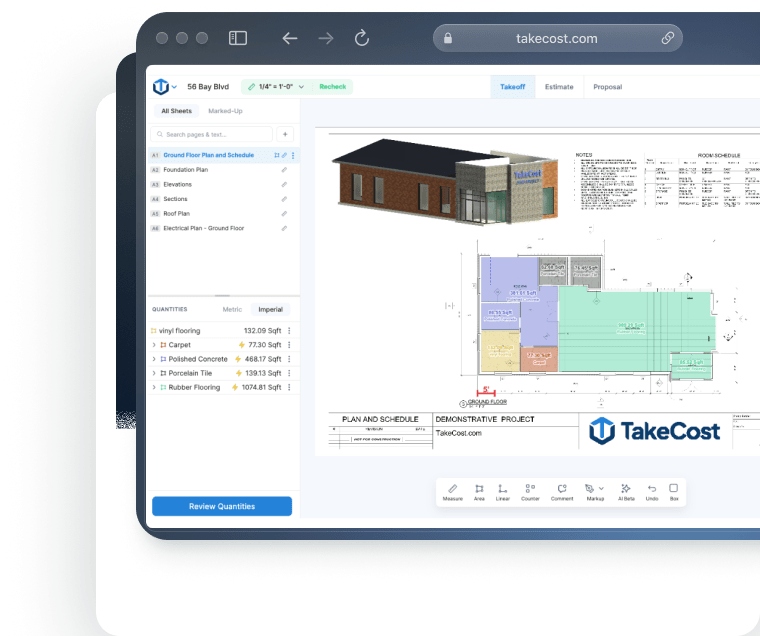
A simple interface, easy controls and AI Assistant guidance help you work through takeoffs. Search plan details, then carry scope into costs and proposals.
When Togal.AI may fit
Consider it if automated drawing detection and high-volume automated takeoff are your main requirements.
Togal.AI pricing vs TakeCost
Compare the useful plan, its billing commitment and the work it covers—not just the number next to “per month.”
From takeoff to proposal.
$49 billed monthly. Annual option also available.
- Unlimited takeoffs
- Smart Scopes and material quantities
- Material/labour pricing and markup
- Proposal and export workflow
Togal.AI pricing
Billed yearly: $3,588 per user, before tax.
Automated measurement and collaborative plan work.
View official Togal.AI pricing ↗| Plan | Published price | What to compare |
|---|---|---|
| Growth | $299/user/month, billed yearly | Unlimited automated takeoffs, chat and symbol searches |
| Business | Custom quote; 4+ users | Onboarding, dedicated support and additional account features |
Togal Growth is $299/user/month billed annually ($3,588/year); Business is quoted for 4+ users. The source does not explicitly label its dollar currency. Confirm local currency, tax and contract terms. Checked October 17, 2026. Dollar currencies may differ; prices are not converted. Confirm currency, taxes, seat entitlement and local terms before purchasing.
What does Togal pricing mean over a full year?
Togal Growth publicly lists $299 per user per month, billed yearly. Multiplying that displayed monthly equivalent produces a $3,588 annual commitment for one seat before applicable taxes. Growth includes unlimited automated takeoffs, chat prompts and image or symbol searches, plus internal and external collaboration. TakeCost is $49 per month or $490 per year, with the relevant plan limits shown when you choose your subscription. Compare the commitment alongside the actual workload: how many fresh projects will you open, how many estimators need access, and what happens in a quiet month? A smaller subscription can be attractive for a contractor developing a repeatable estimating process. A high-volume department should also weigh the practical value of Togal’s unlimited automated usage.
Sources: togal.ai · takecost.com · 2
Feature comparison, without the guesswork
Both products may solve part of your job well. The useful question is how their documented capabilities fit your estimating process.
| What matters | TakeCost | Togal.AI |
|---|---|---|
| Primary workflow | Browser takeoff → Smart Scope quantities → costs, markup and proposals | AI-focused takeoff with exports into a downstream estimating workflow |
| Public pricing | $49/month or $490/year; currency and plan terms at checkout | Growth $299/user/month billed yearly; Business custom for 4+ users |
| Takeoff approach | Area, length, count and elevation measurements | Automated drawing detection and measurement with manual review |
| Project capacity | Core: one new takeoff/month; Accelerated: unlimited | Growth: unlimited automated takeoffs |
| Pricing the work | Material and labour costs plus markup in the workflow | Evaluate the connection to your downstream pricing system |
| Working together | Sharing and export | Internal and external collaboration; real-time takeoff collaboration |
| Best evaluation | Follow one trade scope through to a proposal | Test automated measurement and estimating-system handoff |
What it’s like to use
A takeoff tool should help you understand the plan and keep the next step clear. TakeCost pairs a simple interface with easy controls, AI guidance and search for details on your plans.
Your plan. Your tools. In view.
Compare the working view.
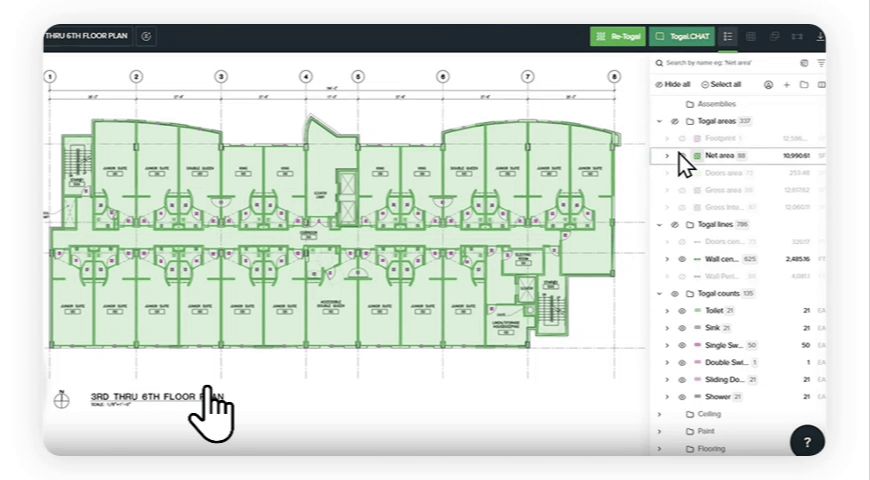
Controls that keep the task clear
Use TakeCost’s straightforward interface to measure areas, lengths and counts, then move into quantities and pricing.
A guide while you work
Ask TakeCost’s AI Assistant for help as you work through your takeoff. Get guidance when a question interrupts your flow.
Find details. Keep moving.
Search details on your plans to find information relevant to your scope and support your next estimating decision.
Visual sources: TakeCost · Togal.AI official product page. Checked October 17, 2026.
See how it feels with your own plan.
Try the controls, ask a question and follow a scope through to a proposal.
Compare the work behind a finished bid
Measure the scope. Price the work. Send the proposal.
Upload & measure
Drawings, scale, areas, lengths and counts.
Build quantities
Turn measured scope into material quantities.
Apply your costs
Materials, labour and markup.
Send a proposal
Present the scope and the price.
Choose the workflow your bids need
Togal emphasizes automated drawing detection and measurement. TakeCost connects browser takeoff with Smart Scope quantities, costs and proposals. If your main bottleneck comes after measurement, TakeCost gives you a connected route from measured scope to the price you send.
Sources: togal.ai · takecost.com · 2
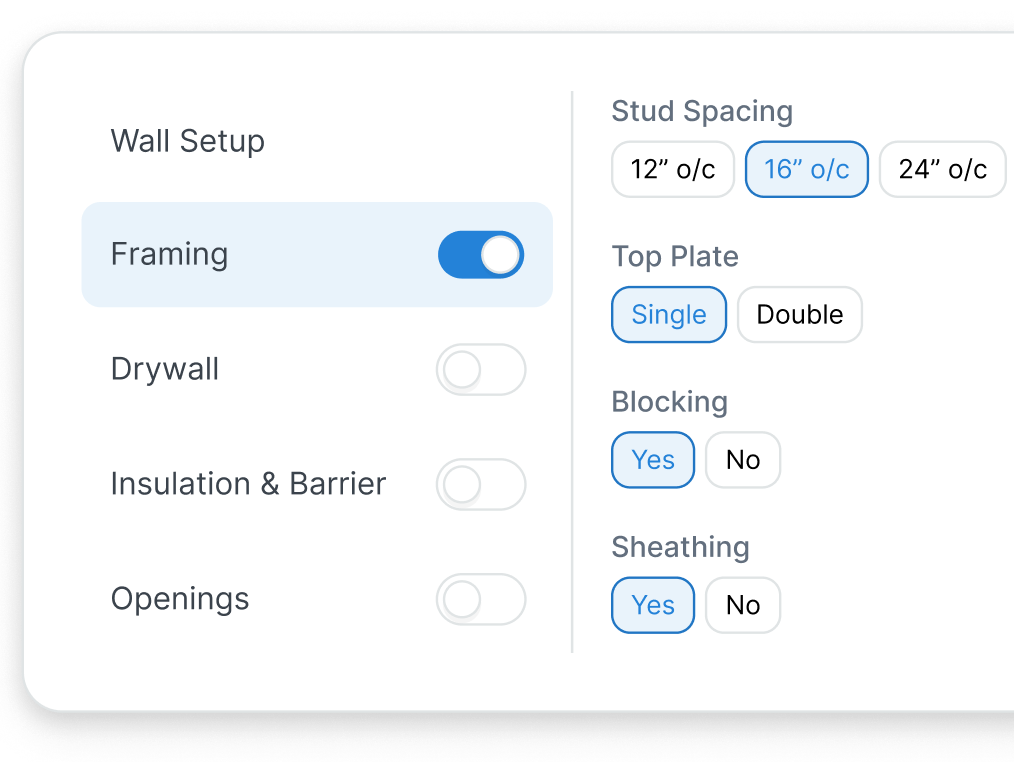
Carry quantities into a priced scope
TakeCost brings material and labour costs, markup and proposals into the estimating workflow. Togal describes exporting takeoff to a downstream estimating system—a useful fit when your team already has a pricing platform it wants to keep.
Sources: takecost.com · togal.ai · 2
Compare the collaboration you actually use
Togal Growth includes internal and unlimited external collaboration, with real-time shared takeoff described on its website. If simultaneous measurement is central to your team, include it in the decision. For TakeCost, verify the sharing and export handoffs your estimator and client need.
Sources: togal.ai · togal.ai · 2 · takecost.com · 3
See the whole bid come together.
Try TakeCost with a drawing you already understand.
Evaluating a move from Togal.AI
Use one completed job to check these five points before switching.
- Export and retain an approved Togal reference project.
- Gather the drawing revision, reviewed quantities, cost assumptions and sent proposal.
- Recreate a representative scope in TakeCost.
- Check units, exclusions, material quantities, labour costs and markup.
- Check the proposal, sharing/export and Core or Accelerated takeoff capacity.
TakeCost or Togal.AI: which fits your next job?
Make the bid your focus.
You want to carry measured scope into material and labour pricing, markup and a client-ready proposal.
Explore TakeCost free ↗Fit the tool to your operation.
Your department prioritizes automated measurement and already has a downstream estimating system.
Three reasons to choose TakeCost
- Connect measured scope to material and labour costs, markup and proposals.
- Start with Core free for one new takeoff a month.
- Move to Accelerated at $49/month or $490/year for unlimited takeoffs.
TakeCost vs Togal.AI: frequently asked questions
How much does Togal cost?
Growth is publicly listed at $299 per user per month, billed yearly. That equals $3,588 per user over twelve months before taxes. Business has custom pricing for teams with four or more users. The pricing page displays $ without explicitly naming its currency.
Does TakeCost replace an estimating spreadsheet?
TakeCost connects takeoff quantities with material and labour costs, markup and proposals. Use a real project to establish which parts of your current spreadsheet process fit that workflow and which specialist calculations you still want to retain.
Does Togal include collaboration?
Yes. Growth includes internal collaboration and unlimited external collaboration. Togal also describes real-time work on a shared takeoff. These are strengths to include in a fair evaluation.
Can I run TakeCost in a browser?
Yes. TakeCost’s public workflow starts with browser-based takeoff. Test it on the device you normally use to measure drawings, review quantities and prepare estimates.
Does every TakeCost plan allow unlimited takeoffs?
No. Core allows one new takeoff per month. Accelerated allows unlimited takeoffs. Choose based on how many new takeoffs you expect to start, including your busiest periods.
Sources and comparison methodology
Published by TakeCost from public vendor documentation checked October 17, 2026. Buyer-fit recommendations are our assessment; no common-plan speed or accuracy benchmark was performed. Confirm current prices, currency, plan entitlements and local terms with each vendor.
View official sources (6)
Research maintained by Gevoni · Updated October 17, 2026.
Make your next bid a TakeCost bid.
Bring a drawing from your trade. Measure a scope, add your material and labour costs, and see your proposal take shape.