
TakeCost vs STACK (2026): Pricing & Feature Comparison
TakeCost vs STACK.
Compare the complete estimating workflow.
Build your bid around measured scope, your costs and a client-ready proposal with TakeCost. Compare that focused workflow with STACK’s broader cloud takeoff and estimating platform, including pricing commitments and plan differences.
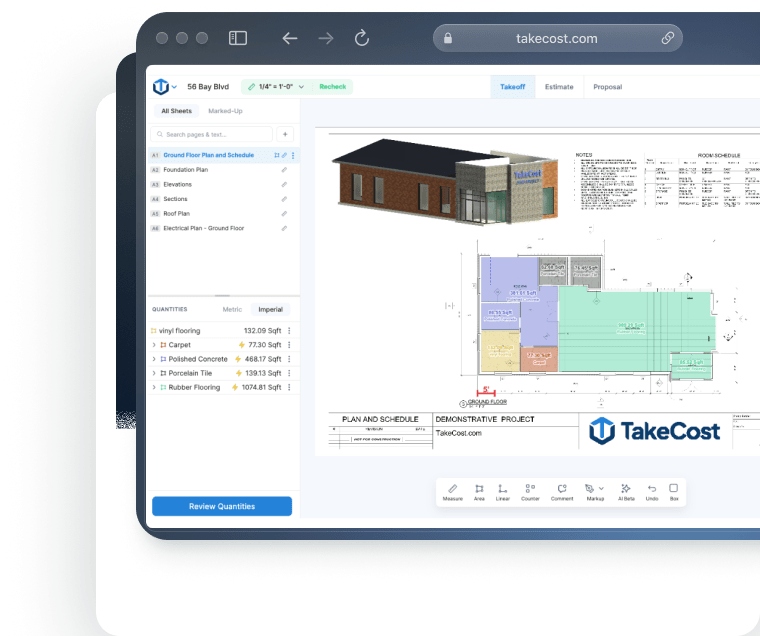
The quick answer
You want a focused route from measured scope to your rates, markup and a proposal.
Why choose TakeCost
A simple interface, easy controls and AI Assistant guidance help you work through takeoffs. Search plan details, then carry scope into costs and proposals.
When STACK may fit
Worth comparing if plan-version overlays or particular Excel and ERP connections are essential.
STACK pricing vs TakeCost
Compare the useful plan, its billing commitment and the work it covers—not just the number next to “per month.”
From takeoff to proposal.
$49 billed monthly. Annual option also available.
- Unlimited takeoffs
- Smart Scopes and material quantities
- Material/labour pricing and markup
- Proposal and export workflow
STACK pricing
Annual billing; all subscriptions have 12-month terms. Pro: $299/user/month.
Cloud takeoff, collaboration and a broader estimating ecosystem.
View official STACK pricing ↗| Plan | Published price | What to compare |
|---|---|---|
| Premium | $249/user/month, annual billing | Cloud takeoff; verify selected USD/CAD currency |
| Pro | $299/user/month, annual billing | Adds integrated estimating capabilities |
Premium and Pro display $249 and $299/user/month with annual billing. Subscriptions have 12-month terms even when paid monthly. The page offers USD/CAD selection; confirm your selected currency and add-ons. Checked October 17, 2026. Dollar currencies may differ; prices are not converted. Confirm currency, taxes, seat entitlement and local terms before purchasing.
What does the displayed STACK monthly price commit you to?
STACK’s public page lists Premium at $249 per user per month and Pro at $299 per user per month when billed annually. Those displayed equivalents translate to $2,988 and $3,588 per user over twelve months before applicable taxes. The page also offers monthly payments, but says Takeoff & Estimate subscriptions have twelve-month terms. A monthly payment therefore deserves a closer look before you assume it provides monthly flexibility. TakeCost is $49 monthly or $490 yearly. Compare the actual contract and the seats you need alongside that price. For a contractor establishing a repeatable estimating routine, TakeCost offers a smaller displayed commitment to evaluate. For a larger team, STACK’s wider capabilities may justify a different level of investment.
Sources: stackct.com · takecost.com · 2
Feature comparison, without the guesswork
Both products may solve part of your job well. The useful question is how their documented capabilities fit your estimating process.
| What matters | TakeCost | STACK |
|---|---|---|
| Core workflow | Browser takeoff → Smart Scope quantities → costs, markup and proposals | Cloud takeoff and organization; Pro includes integrated estimating |
| Displayed public pricing | $49/month or $490/year; confirm currency and plan | Premium $249/user/month; Pro $299/user/month, annual billing |
| Contract and capacity | Core one new takeoff/month; Accelerated unlimited | 12-month Takeoff & Estimate terms; confirm seat requirements |
| Repeat estimating | Reusable items | Items, assemblies and estimating libraries |
| AI support | Smart Scope quantities connected to pricing | Project chat, plan naming/search and AI takeoff; entitlements vary |
| Connected systems | Sharing and export in the estimating workflow | Excel connection and ERP ecosystem; some connectors are add-ons |
| Best trial outcome | A reviewed scope, cost breakdown and customer proposal | A project that tests required organization, estimating and integrations |
What it’s like to use
A takeoff tool should help you understand the plan and keep the next step clear. TakeCost pairs a simple interface with easy controls, AI guidance and search for details on your plans.
Your plan. Your tools. In view.
Compare the working view.
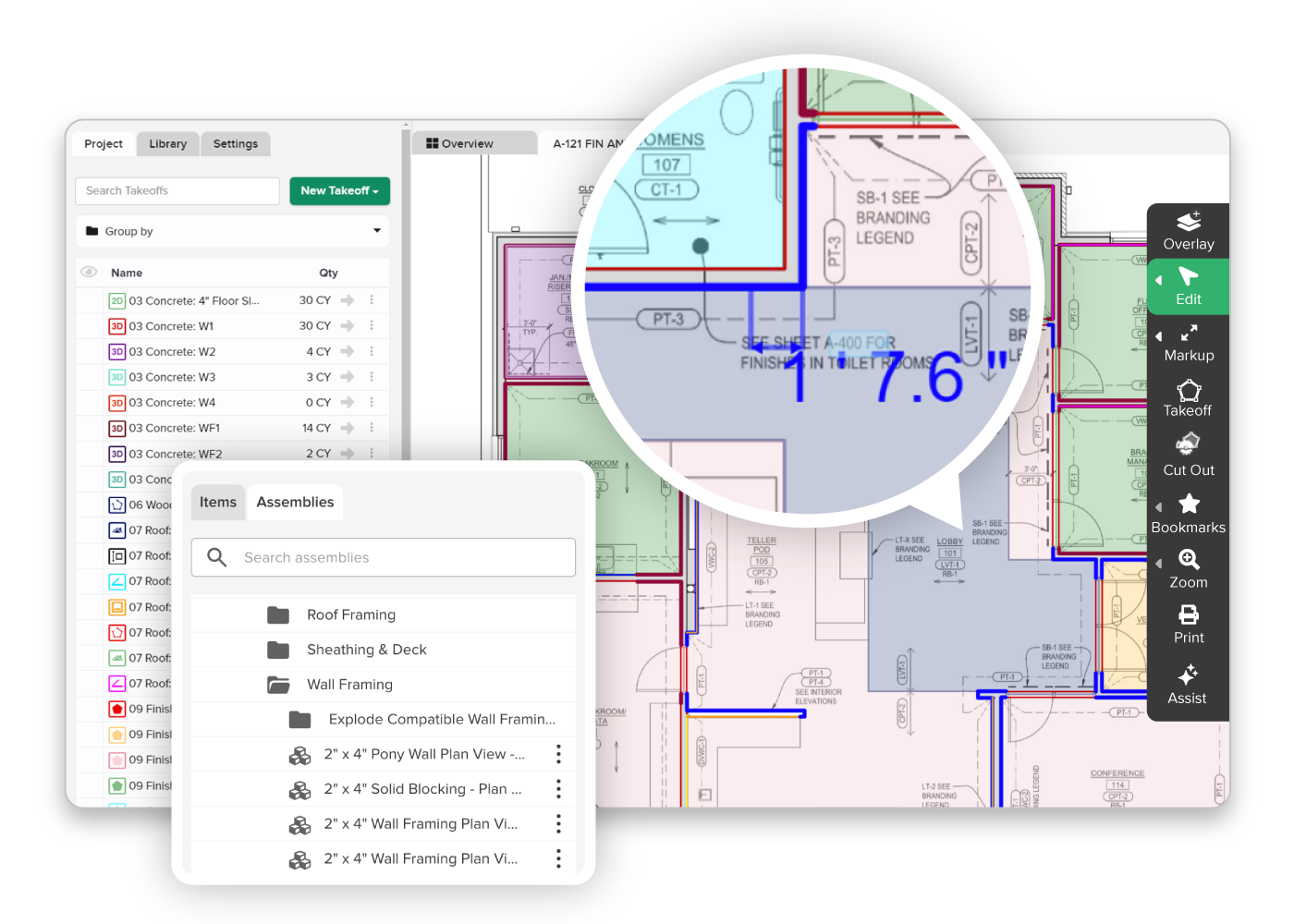
Controls that keep the task clear
Use TakeCost’s straightforward interface to measure areas, lengths and counts, then move into quantities and pricing.
A guide while you work
Ask TakeCost’s AI Assistant for help as you work through your takeoff. Get guidance when a question interrupts your flow.
Find details. Keep moving.
Search details on your plans to find information relevant to your scope and support your next estimating decision.
Visual sources: TakeCost · STACK official product page. Checked October 17, 2026.
See how it feels with your own plan.
Try the controls, ask a question and follow a scope through to a proposal.
Compare the work behind a finished bid
Find the right fit for the way your construction business prices and bids work.
Upload & measure
Drawings, scale, areas, lengths and counts.
Build quantities
Turn measured scope into material quantities.
Apply your costs
Materials, labour and markup.
Send a proposal
Present the scope and the price.
Choose the workflow your bids need
STACK offers a wider preconstruction platform; TakeCost focuses on a connected takeoff-to-proposal workflow. STACK Pro includes estimating, so compare it when costs and proposals are part of your requirements. Choose around the work you need to complete each week.
Sources: stackct.com · takecost.com · 2
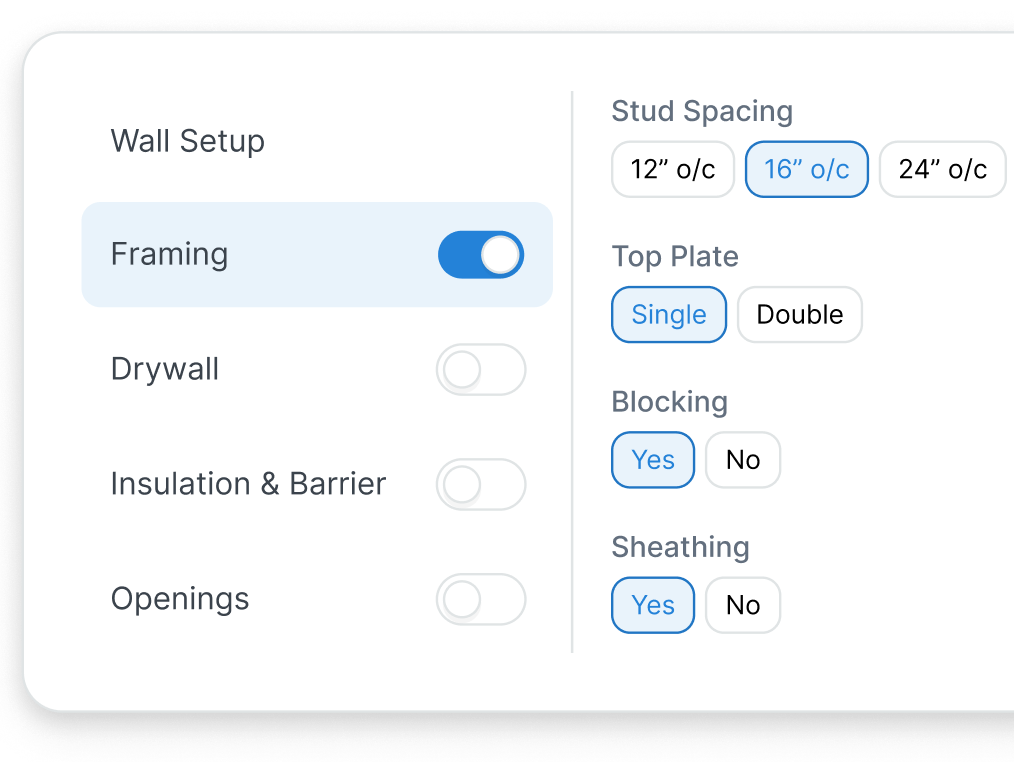
Decide which integrations are essential
STACK offers items and assemblies, an Excel connection and ERP connectors, with plan and add-on requirements to check. If you depend on those connections, test them explicitly. For a simpler estimating process, evaluate TakeCost’s reusable items, sharing and exports against your actual handoffs.
Sources: stackct.com · stackct.com · 2 · takecost.com · 3
Include drawing organization and AI
STACK markets plan organization, version overlays and AI tools. Entitlements vary, and aerial-image takeoff is an add-on. Include a revision in your evaluation if coordinating large drawing sets is a major part of your estimating work.
Sources: stackct.com · takecost.com · 2
See the whole bid come together.
Try TakeCost with a drawing you already understand.
Evaluating a move from STACK
Use one completed job to check these five points before switching.
- Keep a completed STACK reference project and its reviewed estimate.
- List essential assemblies, labels and integrations.
- Recreate a representative scope in TakeCost.
- Compare units, quantities, material and labour rates, and markup.
- Review the proposal, export/integration handoffs, user terms and takeoff capacity.
TakeCost or STACK: which fits your next job?
Make the bid your focus.
You want a focused route from measured scope to your rates, markup and a proposal.
Explore TakeCost free ↗Fit the tool to your operation.
You need a larger cloud preconstruction platform and its specific estimating capabilities.
Three reasons to choose TakeCost
- Connect measured scope to material and labour costs, markup and proposals.
- Start with Core free for one new takeoff a month.
- Move to Accelerated at $49/month or $490/year for unlimited takeoffs.
TakeCost vs STACK: frequently asked questions
How much does STACK cost?
The public annual-billing page displays Premium at $249 per user per month and Pro at $299. It offers USD/CAD controls, so confirm currency. Custom subscriptions are also available. A quote should reflect the plan, users and add-ons you need.
Is STACK monthly billing a month-to-month contract?
Its pricing FAQ says Takeoff & Estimate subscriptions have twelve-month terms. Paying monthly spreads the payments. Review the agreement rather than assuming monthly payment means you can cancel at the end of any month.
Does STACK include estimating and proposals?
Yes. STACK Pro is positioned as an integrated takeoff and estimating platform, and its product materials describe detailed cost estimates and proposals. TakeCost should be compared on the workflow and commitment that best fit your business.
Does STACK have AI takeoff?
Yes. The current site markets AI takeoff and other AI tools, including project chat and plan organization. Confirm which tools your quoted tier includes. Aerial-image takeoff is presented as an add-on.
Why choose TakeCost over a larger platform?
Choose it when the focused journey from measured scope to quantities, costs, markup and proposals suits your everyday work. A trial should show whether that routine is easier for your estimator to understand, review and repeat.
Sources and comparison methodology
Published by TakeCost from public vendor documentation checked October 17, 2026. Buyer-fit recommendations are our assessment; no common-plan speed or accuracy benchmark was performed. Confirm current prices, currency, plan entitlements and local terms with each vendor.
View official sources (7)
- https://takecost.com/
- https://takecost.com/pricing/
- https://takecost.com/features/
- https://www.stackct.com/takeoff-and-estimating/
- https://www.stackct.com/takeoff-and-estimate-pricing/
- https://support.stackct.com/hc/en-us/articles/47652304047763-STACK-Takeoff-Estimate-Licensing-Options-TE
- https://support.stackct.com/hc/en-us/articles/47342466736787-Create-Takeoffs-TE
Research maintained by Gevoni · Updated October 17, 2026.
Make your next bid a TakeCost bid.
Bring a drawing from your trade. Measure a scope, add your material and labour costs, and see your proposal take shape.