
TakeCost vs Buildxact (2026): Pricing & Feature Comparison
TakeCost vs Buildxact.
Price the next job with focus.
Get a focused route from drawings to a priced proposal with TakeCost. Compare it with Buildxact’s residential estimating and job-management suite, and choose the tools you need for the work you are bidding today.
The quick answer
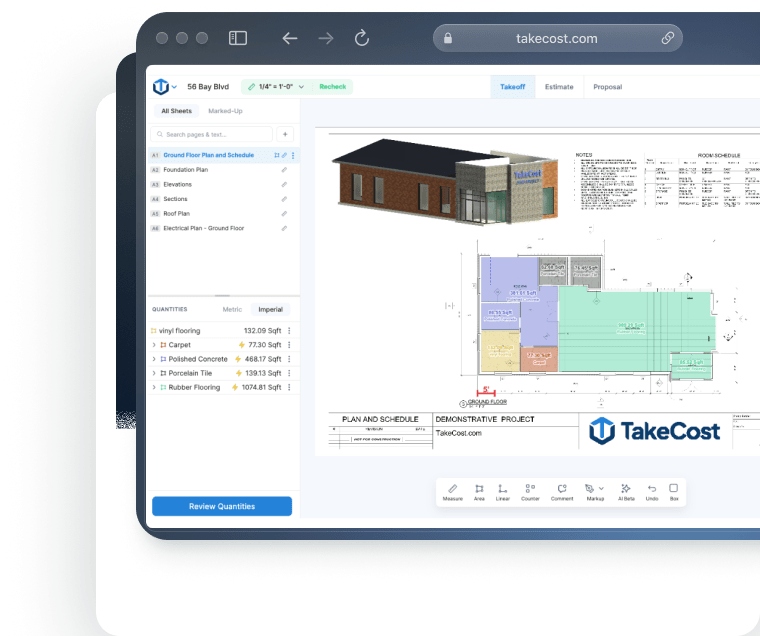
Your immediate priority is a focused browser workflow for takeoff, pricing and proposals.
Why choose TakeCost
A simple interface, easy controls and AI Assistant guidance help you work through takeoffs. Search plan details, then carry scope into costs and proposals.
When Buildxact may fit
May suit residential builders who also need dealer connections, scheduling and job-management tools.
Buildxact pricing vs TakeCost
Compare the useful plan, its billing commitment and the work it covers—not just the number next to “per month.”
From takeoff to proposal.
$49 billed monthly. Annual option also available.
- Unlimited takeoffs
- Smart Scopes and material quantities
- Material/labour pricing and markup
- Proposal and export workflow
Buildxact pricing
US regional list price. Foundation annual total: $2,030. Unlimited users.
Residential estimating and quoting with broader project tools.
View official Buildxact pricing ↗| Plan | Published price | What to compare |
|---|---|---|
| Go | Free entry; 5 credits | Pay-as-you-go AI estimating offer; not the same as unlimited digital takeoff |
| Foundation | $199/month or $2,030/year | Unlimited users, digital takeoff, Assembly Assistant, quotes and dealer connection |
| Pro | $399/month or $4,070/year | Adds job management and Estimate Generator; other AI tools can be add-ons |
| Master | $599/month or $6,110/year | Includes Takeoff Assistant, Estimate Reviewer and user access controls |
US regional pricing. Annual totals are $2,030 Foundation, $4,070 Pro and $6,110 Master; do not multiply rounded monthly equivalents. AI inclusions/add-ons vary by plan. Confirm currency, taxes and terms. Checked October 17, 2026. Dollar currencies may differ; prices are not converted. Confirm currency, taxes, seat entitlement and local terms before purchasing.
How do Buildxact Foundation, Pro and Master compare on price?
Buildxact’s US page lists Foundation at $199 per month or $2,030 billed annually. Pro is $399 per month or $4,070 annually, and Master is $599 per month or $6,110 annually. The page displays rounded annual monthly equivalents alongside those totals; use the stated annual charge when building a budget. Foundation includes unlimited users, so do not treat its price as a per-seat subscription. TakeCost is $49 monthly or $490 yearly, with the selected plan and currency confirmed at checkout. Compare the size of the commitment alongside the job each product is being hired to do. TakeCost makes particular sense to test when a contractor wants an estimating process before investing in a broader system for the building business.
Sources: buildxact.com · takecost.com · 2
Feature comparison, without the guesswork
Both products may solve part of your job well. The useful question is how their documented capabilities fit your estimating process.
| What matters | TakeCost | Buildxact |
|---|---|---|
| Main focus | Connected takeoff, quantities, costs, markup and proposals | Residential estimating plus broader builder and remodeler workflows |
| Public paid plans | $49/month or $490/year; confirm currency and terms | Foundation $199/mo; Pro $399/mo; Master $599/mo on US page |
| Annual billing | $490/year; selected plan capacity applies | Foundation $2,030; Pro $4,070; Master $6,110; twelve-month commitment |
| AI requirements | Smart Scope quantities in the estimating workflow | Blu assistants vary by tier; Takeoff Assistant and Reviewer included in Master |
| Supplier pricing | Material and labour costs entered within the estimate | Dealer connection; verify supplier, regional and plan availability |
| After acceptance | Sharing/export and proposal workflow; assess your downstream handoff | Broader job, schedule and accounting workflows by plan |
| Team and capacity | Core one new takeoff/month; Accelerated unlimited | Foundation includes unlimited users; verify required feature tier |
What it’s like to use
A takeoff tool should help you understand the plan and keep the next step clear. TakeCost pairs a simple interface with easy controls, AI guidance and search for details on your plans.
Your plan. Your tools. In view.
Compare the working view.
Controls that keep the task clear
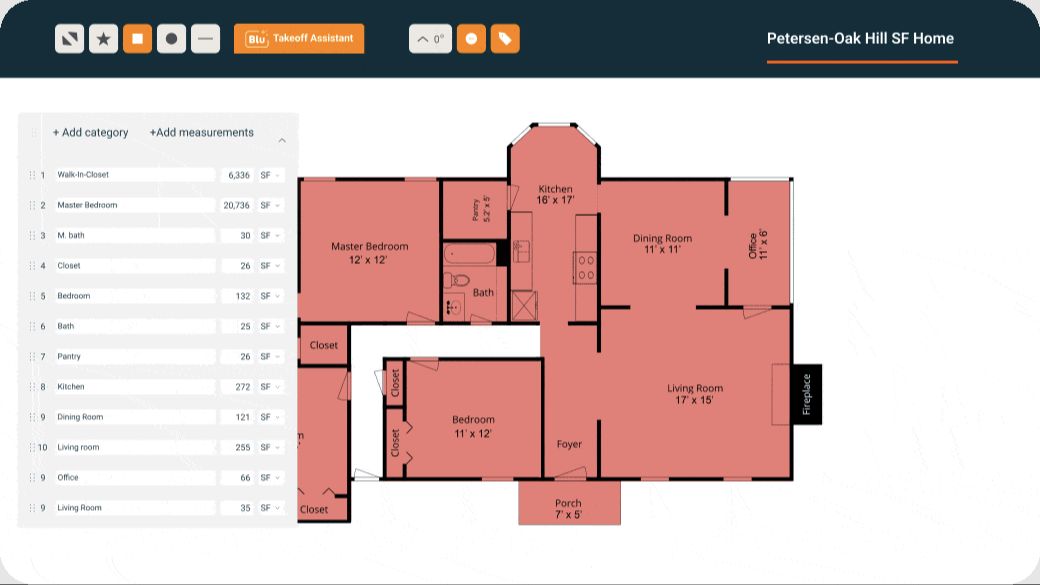
Use TakeCost’s straightforward interface to measure areas, lengths and counts, then move into quantities and pricing.
A guide while you work
Ask TakeCost’s AI Assistant for help as you work through your takeoff. Get guidance when a question interrupts your flow.
Find details. Keep moving.
Search details on your plans to find information relevant to your scope and support your next estimating decision.
Visual sources: TakeCost · Buildxact official product page. Checked October 17, 2026.
See how it feels with your own plan.
Try the controls, ask a question and follow a scope through to a proposal.
Compare the work behind a finished bid
Compare takeoff, estimating and quoting before choosing a broader job-management suite.
Upload & measure
Drawings, scale, areas, lengths and counts.
Build quantities
Turn measured scope into material quantities.
Apply your costs
Materials, labour and markup.
Send a proposal
Present the scope and the price.
Choose an estimating workflow or a wider suite
Buildxact connects residential estimating with broader building operations. TakeCost is a focused choice for browser takeoff, quantities, costs, markup and proposals. If improving bids is your immediate goal, compare that process before committing to a larger operational change.
Sources: buildxact.com · takecost.com · 2
Check whether dealer connections matter
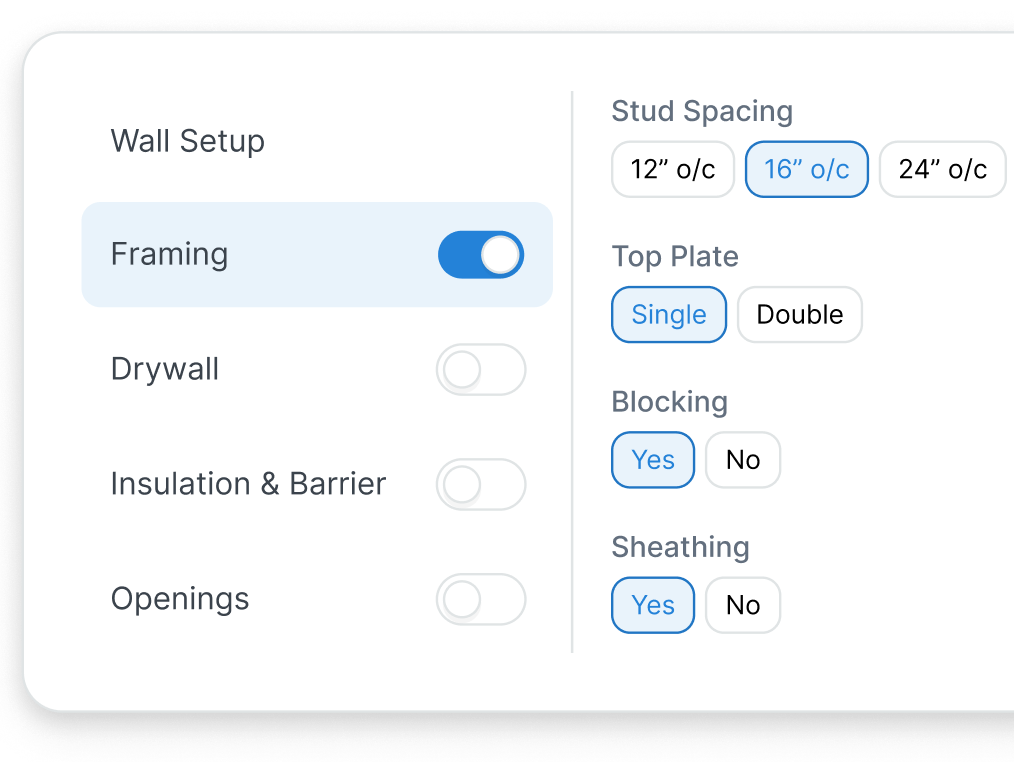
Buildxact’s dealer connection can support pricing and quote requests with participating suppliers. This comparison does not assume an equivalent live integration in TakeCost. Check your suppliers and region; if you use your own reviewed rates, test those directly in TakeCost.
Sources: buildxact.com · takecost.com · 2
Plan the handoff after a job is won
Buildxact includes broader scheduling, job management and accounting-related workflows, subject to plan. TakeCost should be evaluated for estimating and proposals. If your current systems already run accepted jobs well, check how the finished estimate reaches them.
Sources: buildxact.com · buildxact.com · 2 · takecost.com · 3
See the whole bid come together.
Try TakeCost with a drawing you already understand.
Evaluating a move from Buildxact
Use one completed job to check these five points before switching.
- List Buildxact functions used for estimating and for running accepted jobs.
- Retain approved drawings, quantities, templates, dealer quotes and customer offers.
- Rebuild one completed representative scope in TakeCost.
- Check material and labour rates, quantities, markup and exclusions.
- Validate the proposal, supplier needs, downstream job handoff and takeoff capacity.
TakeCost or Buildxact: which fits your next job?
Make the bid your focus.
Your immediate priority is a focused browser workflow for takeoff, pricing and proposals.
Explore TakeCost free ↗Fit the tool to your operation.
You want residential job management, dealer connections and operations beyond the bid.
Three reasons to choose TakeCost
- Connect measured scope to material and labour costs, markup and proposals.
- Start with Core free for one new takeoff a month.
- Move to Accelerated at $49/month or $490/year for unlimited takeoffs.
TakeCost vs Buildxact: frequently asked questions
How much does Buildxact cost?
Its US public page lists Foundation at $199/month or $2,030/year, Pro at $399/month or $4,070/year, and Master at $599/month or $6,110/year. Confirm currency, taxes and add-ons in your quote. Foundation includes unlimited users.
Is Buildxact free?
Buildxact offers Go with five complimentary credits and pay-as-you-go use for advertised AI estimate and proposal tasks. That is separate from its paid plans and fourteen-day trial. Do not assume free credits provide the full paid digital takeoff workflow.
Does every Buildxact plan include AI takeoff?
No. Its pricing page places Blu Takeoff Assistant in Master and offers it as a Pro add-on. Foundation includes digital takeoff and Assembly Assistant. Check the assistants and usage included in the precise offer you select.
Does Buildxact already make quotes?
Yes. Its product includes estimating and quoting, with customizable quote letters and digital signatures in the Foundation offer. TakeCost should be assessed as a different estimating workflow, rather than positioned as the only tool that produces a proposal.
Can TakeCost replace all of Buildxact?
Evaluate TakeCost for takeoff, quantities, costs, markup and proposals. If you rely on dealer integrations, schedules, accounting connections or job administration, verify those requirements separately. A focused estimating tool should not be assumed to replace every function of a broader suite.
Sources and comparison methodology
Published by TakeCost from public vendor documentation checked October 17, 2026. Buyer-fit recommendations are our assessment; no common-plan speed or accuracy benchmark was performed. Confirm current prices, currency, plan entitlements and local terms with each vendor.
View official sources (9)
- https://takecost.com/
- https://takecost.com/pricing/
- https://takecost.com/features/
- https://www.buildxact.com/us/features/
- https://www.buildxact.com/us/pricing/
- https://www.buildxact.com/us/features/builder-remodeler/dealer-connection/
- https://www.buildxact.com/us/features/construction-quoting-software/
- https://www.buildxact.com/us/features/construction-estimating-software/
- https://www.buildxact.com/us/features/construction-takeoff-software/
Research maintained by Gevoni · Updated October 17, 2026.
Make your next bid a TakeCost bid.
Bring a drawing from your trade. Measure a scope, add your material and labour costs, and see your proposal take shape.