
How to Do a Construction Takeoff
Learn the basic steps of completing a construction takeoff and how digital tools help speed up the process.
Read postFree Takeoffs Forever
No Credit Card Required
Most tools help you measure. TakeCost connects measurement quantities,
pricing and proposals — so revisions don’t mean rework
Perform high-quality takeoffs and estimates efficiently, so you can bid on more work and grow your business.

Perform high-quality takeoffs and estimating efficiently, so you can bid on more work and grow your business.
Start free with Core: 1 new takeoff file each month and unlimited proposals. Upgrade to Accelerated when you need unlimited takeoffs.
Designed with simplicity in mind, it’s quick to pick up, even if you’re not a techie.
Generate precise, professional quotes that build trust and protect your reputation – and your bottom line.
Save time on every takeoff and quote, so you can bid and win more jobs.
TakeCost doesn't just measure lines, areas, and counts. It converts your takeoff directly into usable construction quantities so you can move faster from plans to pricing.
Instead of measuring walls and rebuilding everything in spreadsheets, TakeCost converts your takeoff into the framing, boarding and insulation quantities estimators actually need.
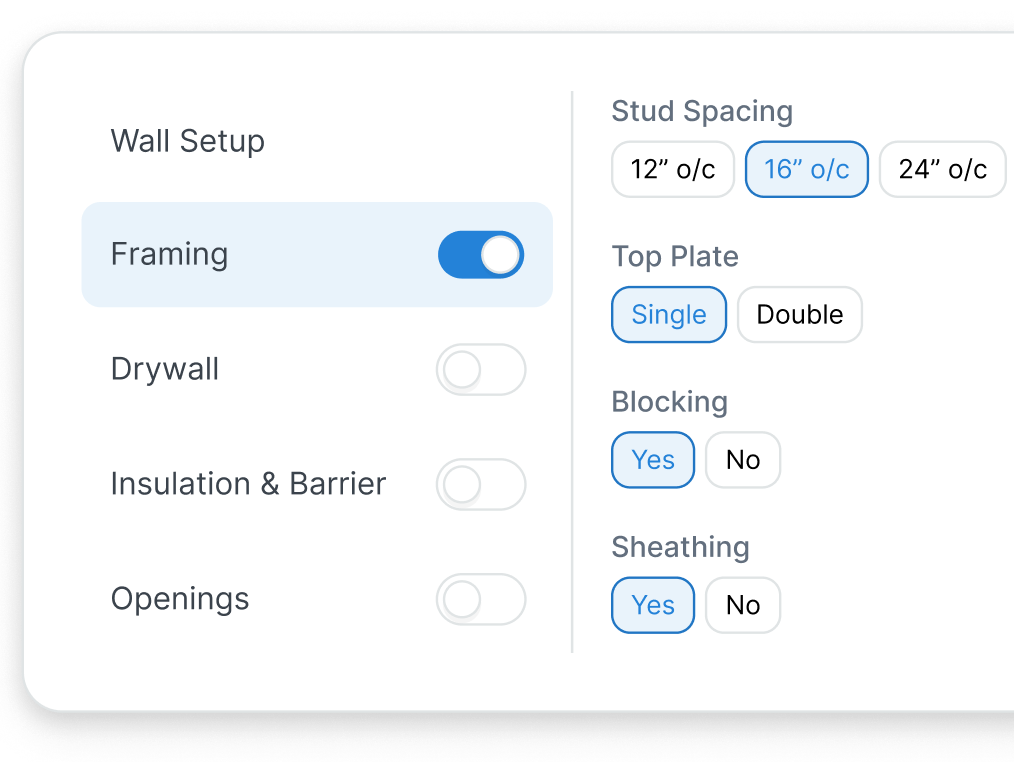
Auto-calculates studs, plates, sheathing & more.
Calculate roof areas, counts, flashing & more.
Auto-calculates bricks, mortar, wall ties & more.
Auto-calculates concrete, rebar, formwork & more.
CMU block walls, piers and columns, flooring and openings. See all scopes →
TakeCost simplifies your workflow from plans to pricing so you can move fast, quote accurately, and stay ahead.
Explore Our Features1
2
3
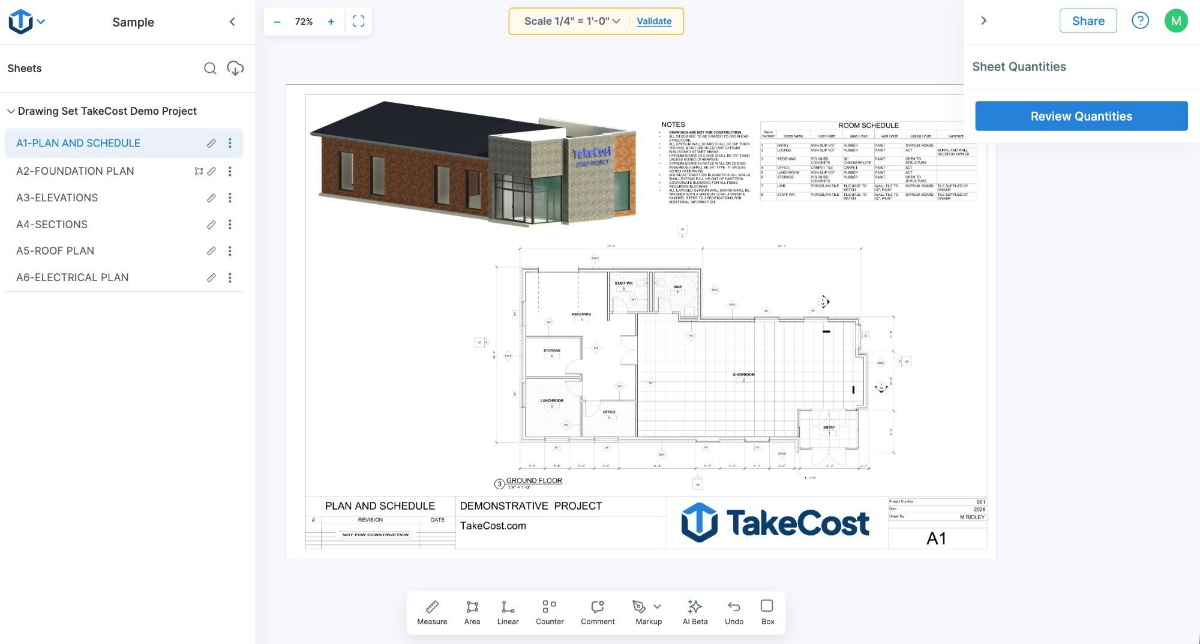
Drag in your drawings. Rotate, scale, and organize in seconds — everything ready for takeoff. Works with single- or multi-page PDFs, JPG and PNG, right in your browser. Nothing to install.
Take off lengths, areas, and counts while quantities stay connected to materials and pricing inside your project.
Generate clean summaries with quantities, pricing, and margins — without rebuilding your work.
TakeCost keeps takeoff, pricing, and proposals connected — so teams spend less time rebuilding estimates.
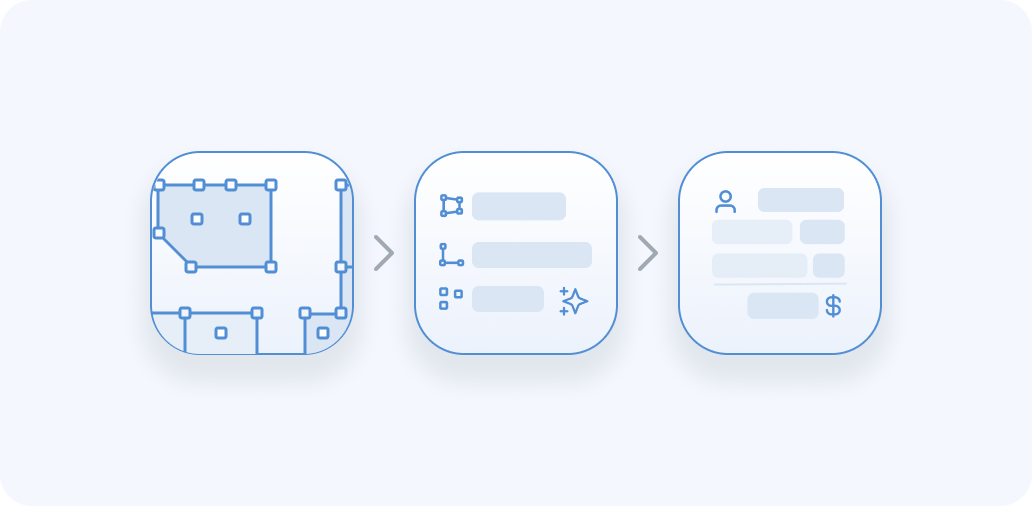
From PDF takeoff to final proposal, TakeCost keeps your estimating process connected and efficient.



Competitor list prices from each vendor’s website, checked October 2026. See full comparisons →
Built By Contractors & Estimators
Measure & send bids free, forever
Best for contractors getting started with takeoffs and proposals
Estimate faster. Control pricing. Win more work.
Save $98 • 2 months free
Up to 2 takeoffs during the trial
Best for contractors who estimate often and need pricing control
Real proof from the field — recognition, press, and feedback from teams
using TakeCost to move faster and quote with confidence.

Estimate faster. Control pricing. Win more work.

Learn the basic steps of completing a construction takeoff and how digital tools help speed up the process.
Read post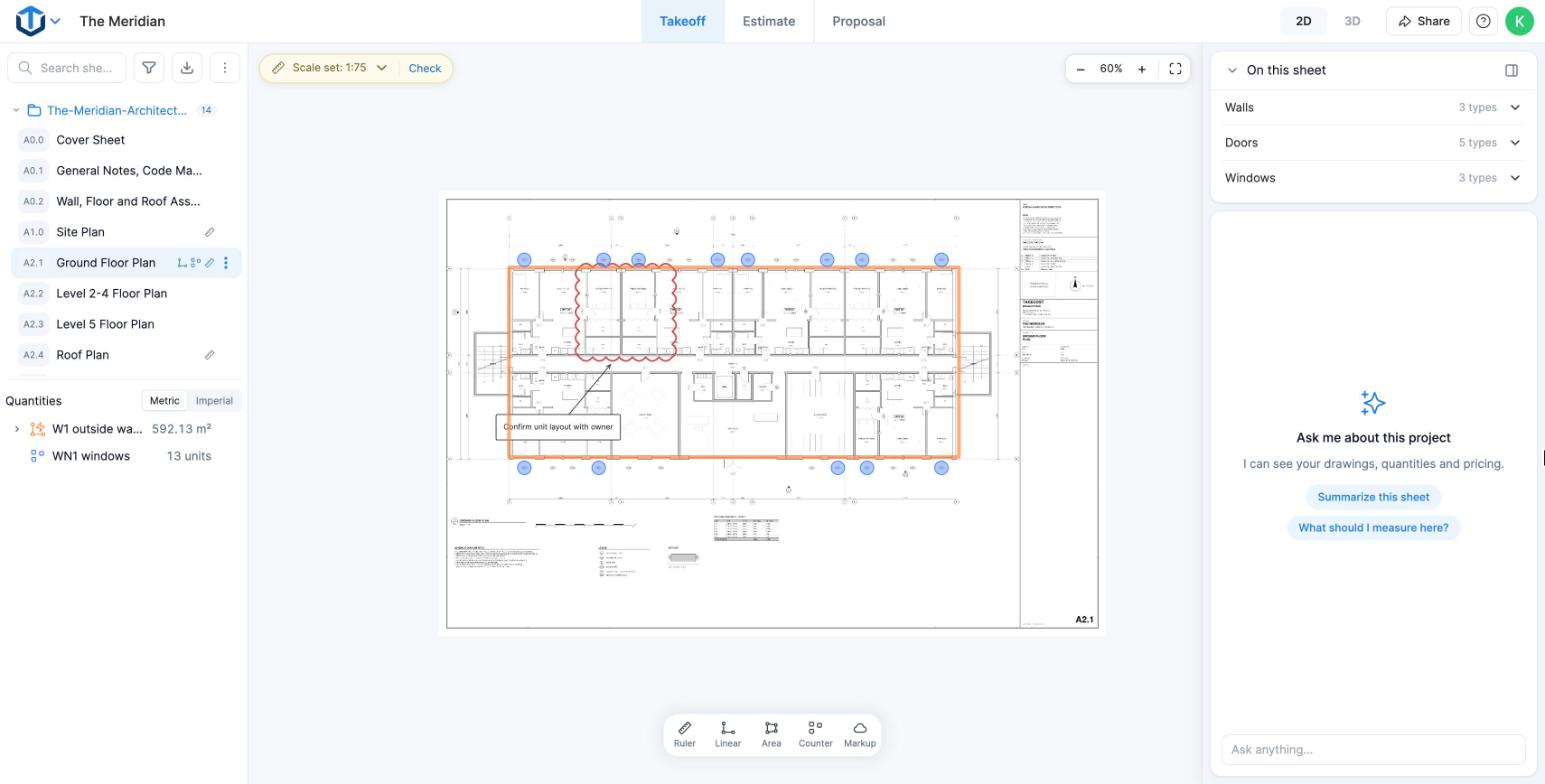
What a takeoff is, the main types and methods, manual vs digital, and how it feeds the estimate.
Read postIn one short demo, we’ll show how takeoff, pricing, and proposal-ready outputs work together — without rebuilding everything in spreadsheets.
Pick a time that works best for you.
Upload your drawings now - No downloads required
Only upgrade if needed, with no commitments
Your files are saved in the cloud for easy access
Mobile Friendly
Free Takeoffs Forever
No Credit Card Required
We have put together some commonly asked questions
TakeCost is a digital takeoff and estimating tool built by contractors for contractors. Upload plans, measure materials, build estimates, and create proposals all in one place.
New to TakeCost? Follow the step-by-step tutorial.
Yes! TakeCost will always offer a free plan. You can start 1 new takeoff file each month and keep access to all your past projects. We’re committed to helping new and small construction professionals grow without the pressure of a paid subscription.
No downloads needed. TakeCost is 100% cloud-based, just log in from any browser and start measuring.
Yes. You can invite team members to view or collaborate on projects, depending on your plan.
Yes! You can book a 15-minute demo with our team using this link: https://calendly.com/takecost/demo
Your data is safe with us. We run free daily backups of all user data and follow strict internal security and privacy protocols. From encrypted storage to limited access controls, TakeCost is built to keep your project files and measurements protected at all times.
TakeCost supports multi-page and single-page PDF plans, plus common image files like JPG and PNG. If you’re uploading an image, just provide one known measurement to set the scale and you’re good to go. Perfect for scanned drawings, sketches, or marked-up site photos.
Yes. TakeCost supports both Imperial and Metric units. You can switch anytime, your measurements and scale will automatically adjust to match.
Once you’ve started 1 new takeoff file in a month, you can either upgrade to Accelerated or wait until the next month resets. All your past projects remain accessible.
You can reach our customer support team through the following channels:
We’re here to help with any questions or issues you may have!