
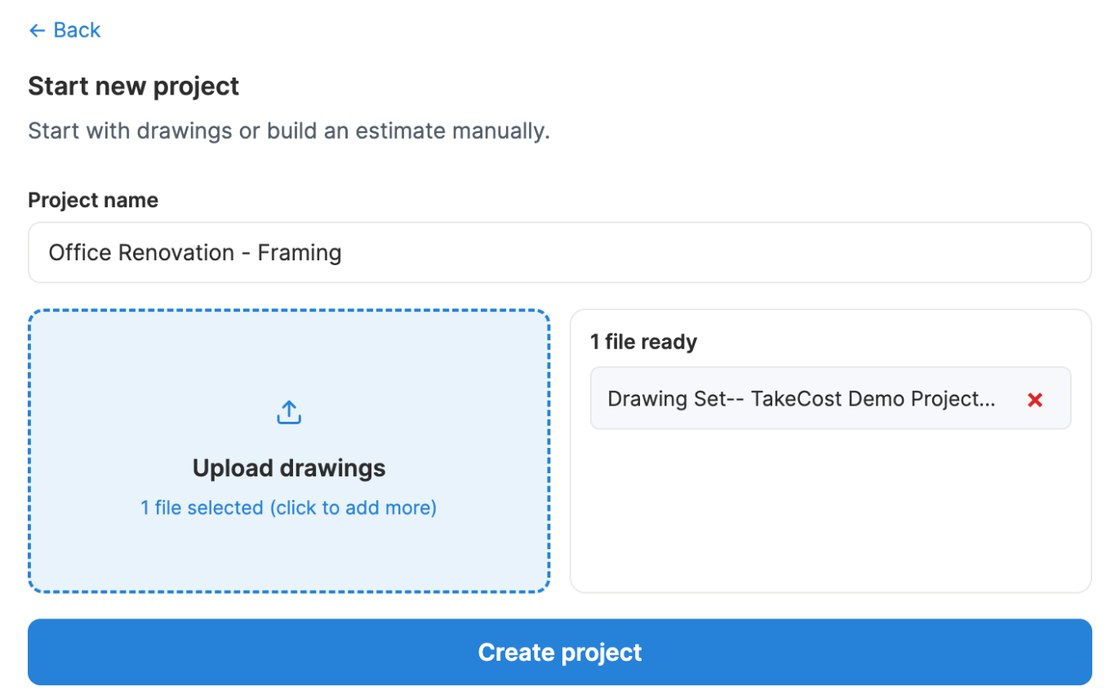
Upload Plans
Import your PDF drawings and select the pages needed for your framing takeoff.
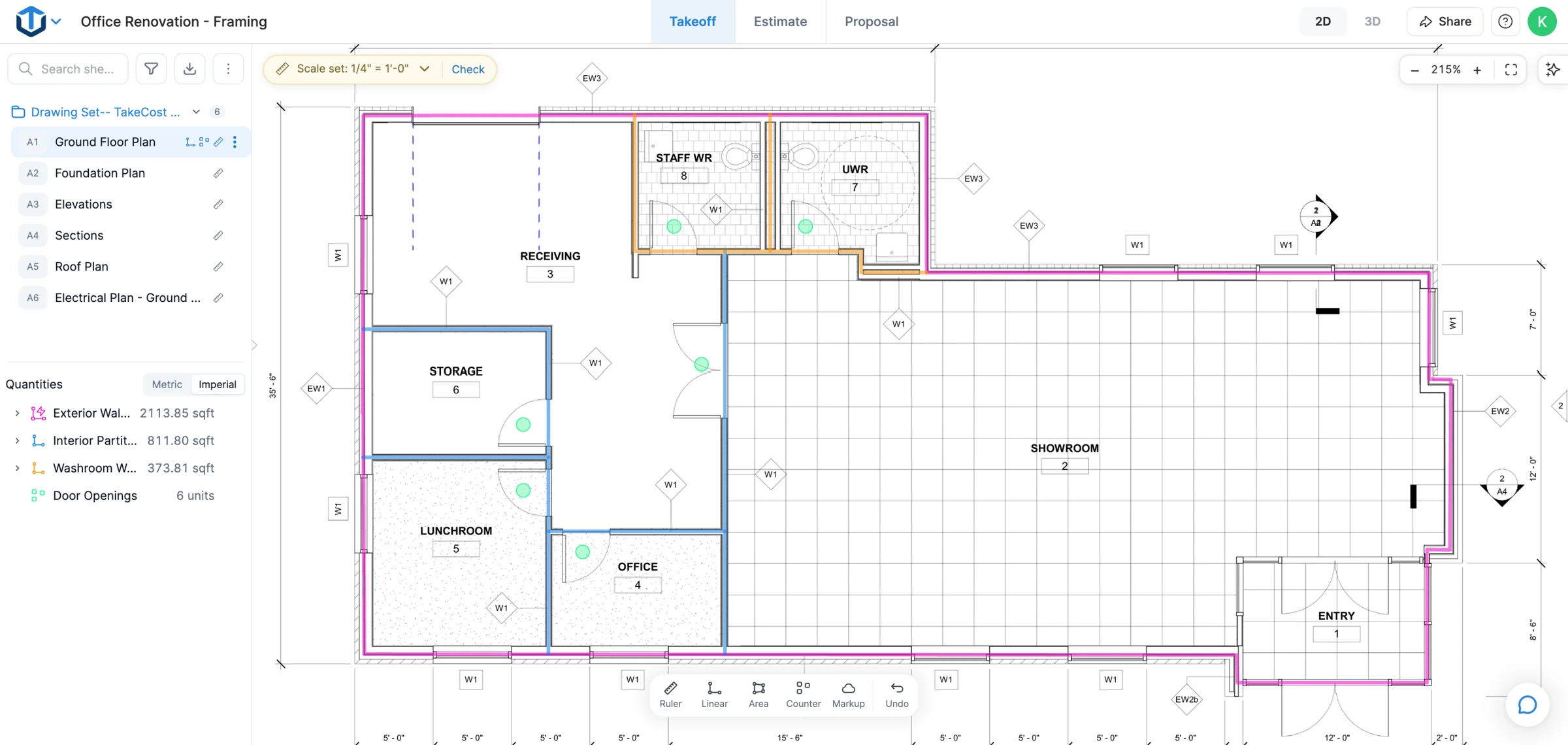
Measure walls and partitions, count doors and windows, and organize framing and lumber quantities directly from PDF plans. Turn your framing takeoff into a client-ready estimate.
Free Takeoffs Forever
No Credit Card Required
14-Day Free Trial
Organize lumber for studs, plates and headers, plus sheathing and labour, into detailed
framing estimates, with your quantities and pricing connected.
Import your PDF drawings and select the pages needed for your framing takeoff.
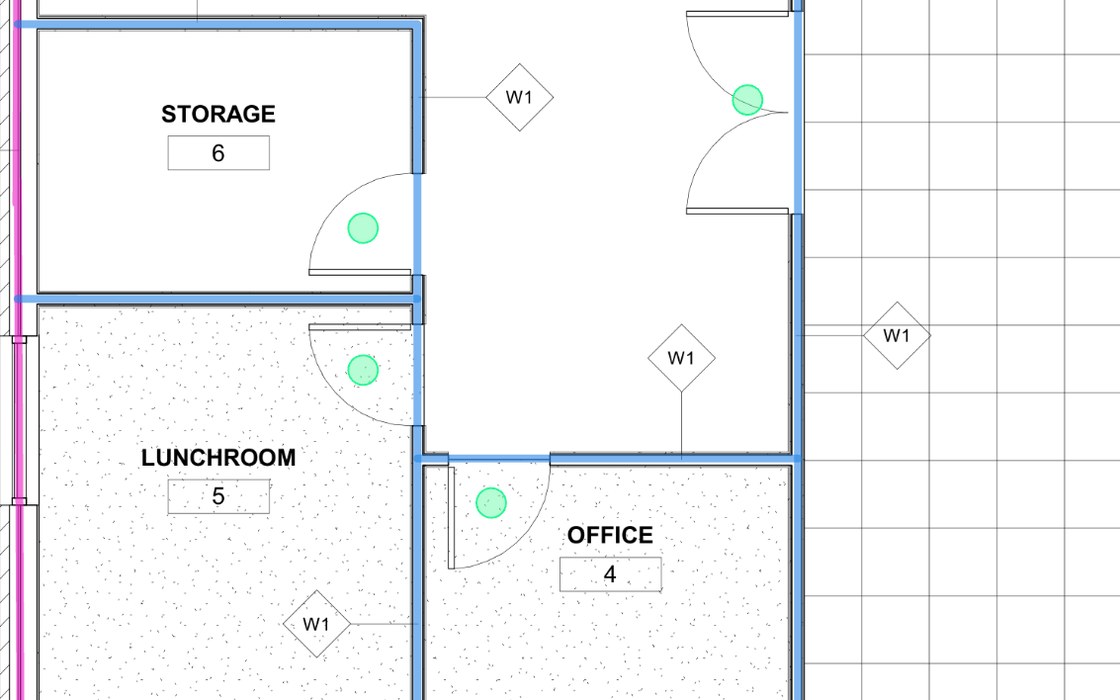
Measure walls and partitions, count doors and windows, and track framing quantities.
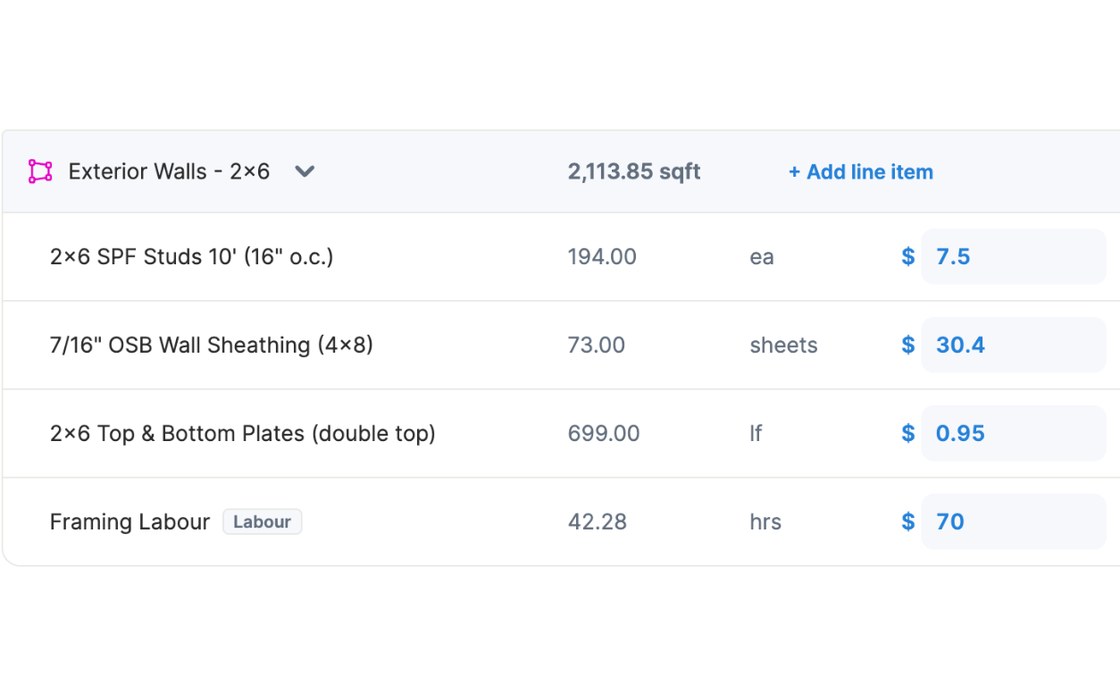
Price studs, plates, headers, sheathing, fasteners, labour, and markup using your takeoff quantities.
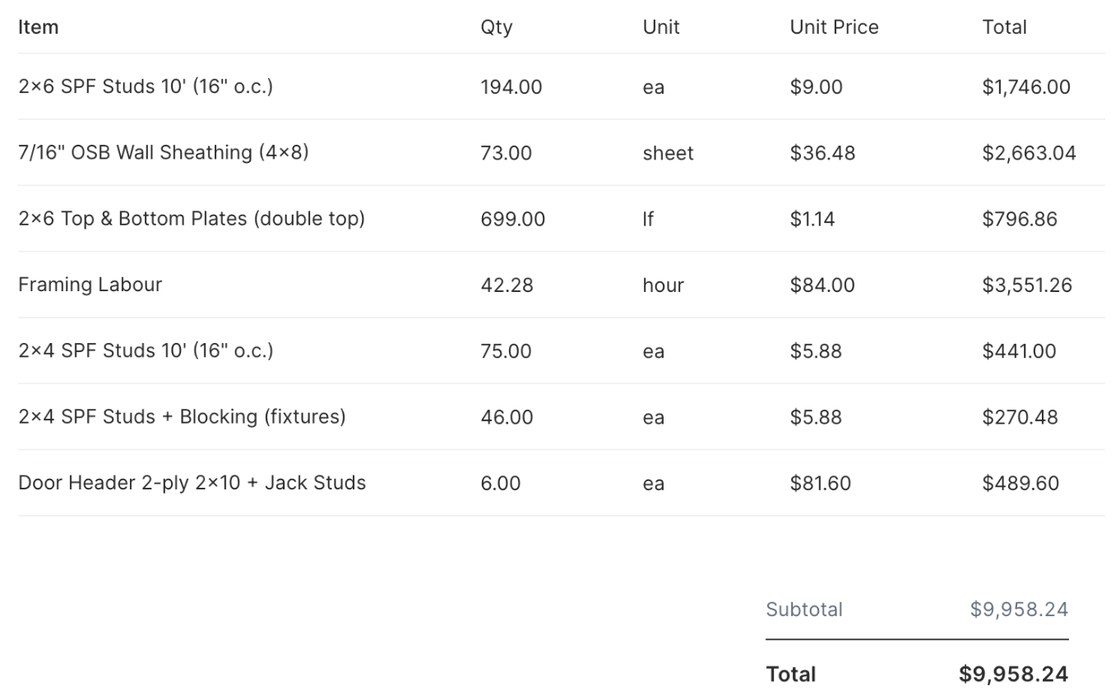
Turn your framing estimate into a professional, client-ready proposal.
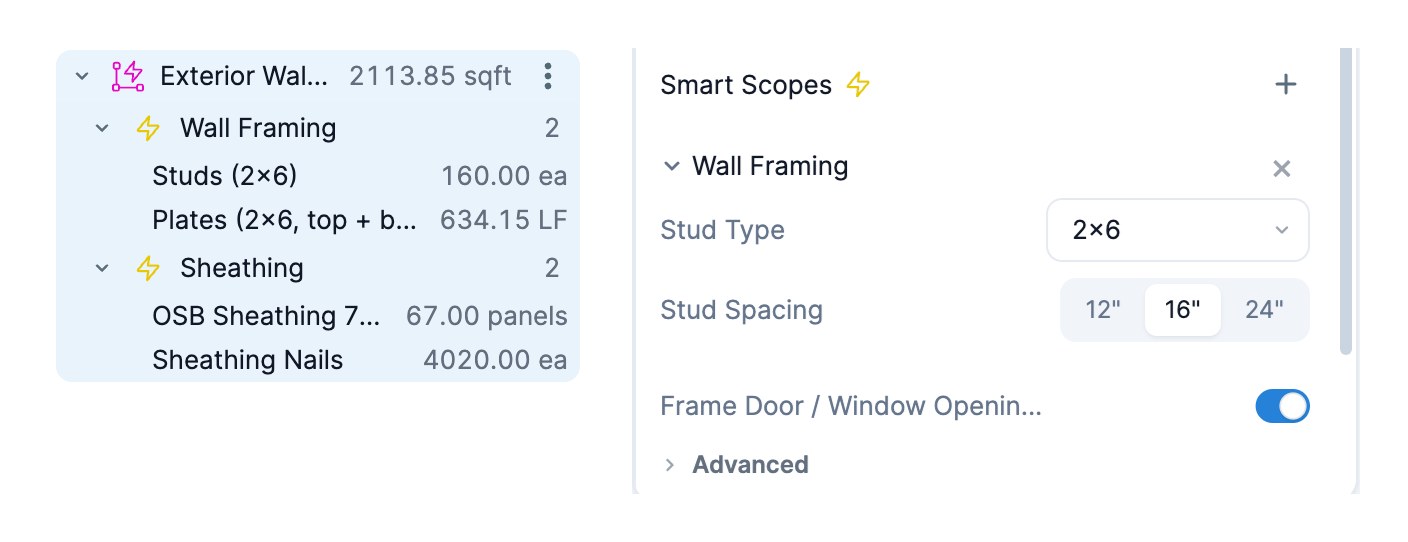
Configure your framing assembly with stud size and spacing, plates, blocking, headers and sheathing. Smart Scopes uses your wall measurements and configured assembly details to generate related material quantities, so you don't have to calculate each component separately.
Built By Contractors & Estimators
Measure & send bids free, forever
Best for contractors getting started with takeoffs and proposals
Estimate faster. Control pricing. Win more work.
Save $98 • 2 months free
Up to 2 takeoffs during the trial
Best for contractors who estimate often and need pricing control
In one short demo, we’ll show how takeoff, pricing, and proposal-ready outputs work together — without rebuilding everything in spreadsheets.
Pick a time that works best for you.
Upload your drawings now - No downloads required
Only upgrade if needed, with no commitments
Your files are saved in the cloud for easy access
Mobile Friendly
Free Takeoffs Forever
No Credit Card Required
We have put together some commonly asked questions
Yes! TakeCost will always offer a free plan. You can start 1 new project per month and keep access to all your past projects. We’re committed to helping new and small construction professionals grow without the pressure of a paid subscription.
No downloads needed. TakeCost is 100% cloud-based, just log in from any browser and start measuring.
TakeCost supports multi-page and single-page PDF plans, plus common image files like JPG and PNG. If you’re uploading an image, just provide one known measurement to set the scale and you’re good to go. Perfect for scanned drawings, sketches, or marked-up site photos.
Yes. TakeCost supports both Imperial and Metric units. You can switch anytime, your measurements and scale will automatically adjust to match.
Yes! You can book a 30-minute demo with our team using this link: https://calendly.com/takecost/demo
Yes. Measure walls, partitions and other framing quantities directly from PDF drawings, then use those quantities to prepare estimates.
Yes. Timber (lumber) framing is measured the same way, and you can switch between metric and imperial units at any time.
Yes. Use linear and area measurements to track walls, partitions and other framing elements shown on your plans.
Yes. Use the count tool to track doors, windows and other openings as part of your framing takeoff.
Yes. Organize your framing scopes and configure assemblies with the materials and labour needed for your estimate.
Yes. Send your framing quantities into the estimating worksheet, price materials and labour, add markup and create a professional proposal.