

TakeCost vs PlanSwift
Choosing the right takeoff software isn’t just about measuring quantities, it’s about how efficiently you can move from drawings to pricing, and ultimately, to winning jobs.
While many contractors start with tools that focus on measurement, the real challenge often comes afterward: organizing quantities, building estimates, and turning that work into a clear, professional proposal.
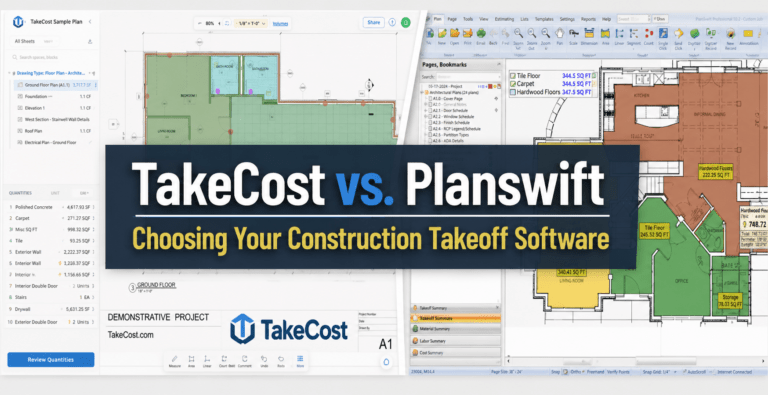
In this comparison, we break down TakeCost vs PlanSwift to show the difference between a traditional desktop takeoff tool and a modern, cloud-based platform designed to support the full estimating workflow.
The Core Difference
At a high level, both TakeCost and PlanSwift allow contractors to perform digital takeoffs from construction drawings.
However, the way each platform fits into your workflow is fundamentally different.
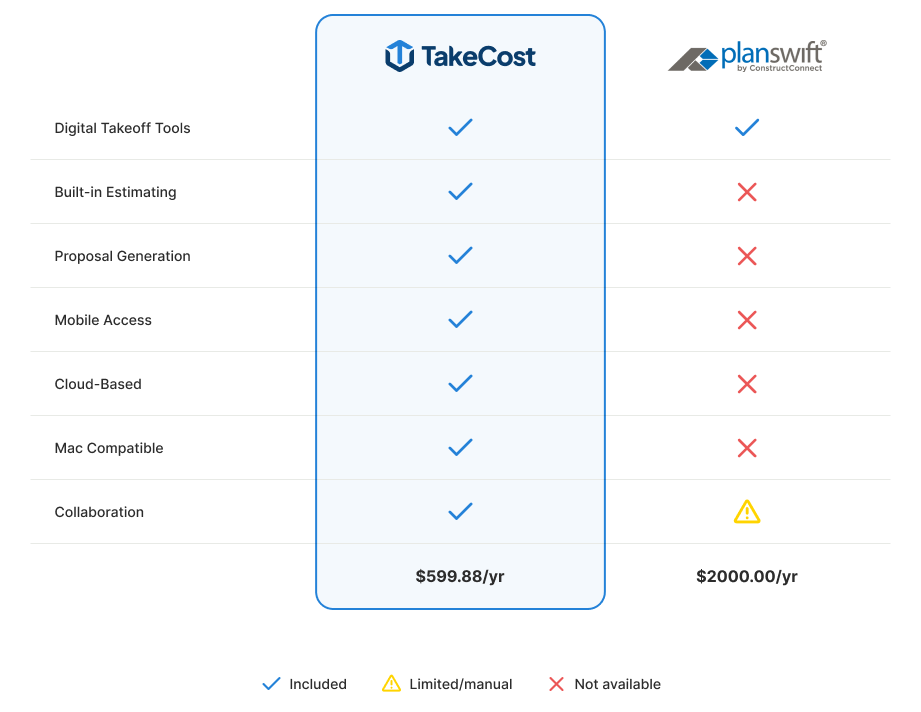
- TakeCost is built as a connected system that takes you from takeoff to estimating to proposal in one place
- PlanSwift is primarily a desktop-based takeoff tool focused on measuring quantities
If your goal is simply to measure, both platforms can get the job done. But if your goal is to move from takeoff to a priced bid efficiently, without rebuilding your work in other tools, the difference becomes much more noticeable.
What Most Contractors Overlook
Many takeoff tools appear similar at first. You upload drawings, measure areas and lengths, and generate quantities.
From a surface-level perspective, that feels like the job is complete.
In reality, measuring is only one part of the estimating process. The majority of time is often spent after the takeoff is finished, organizing quantities, applying pricing, and preparing a proposal that can be sent to a client.
With traditional workflows, contractors frequently:
- export quantities into spreadsheets
- rebuild estimates manually
- reformat data for proposals
These extra steps introduce both time delays and opportunities for error. Over multiple projects, this inefficiency compounds quickly.
1. From Takeoff to Estimate
TakeCost
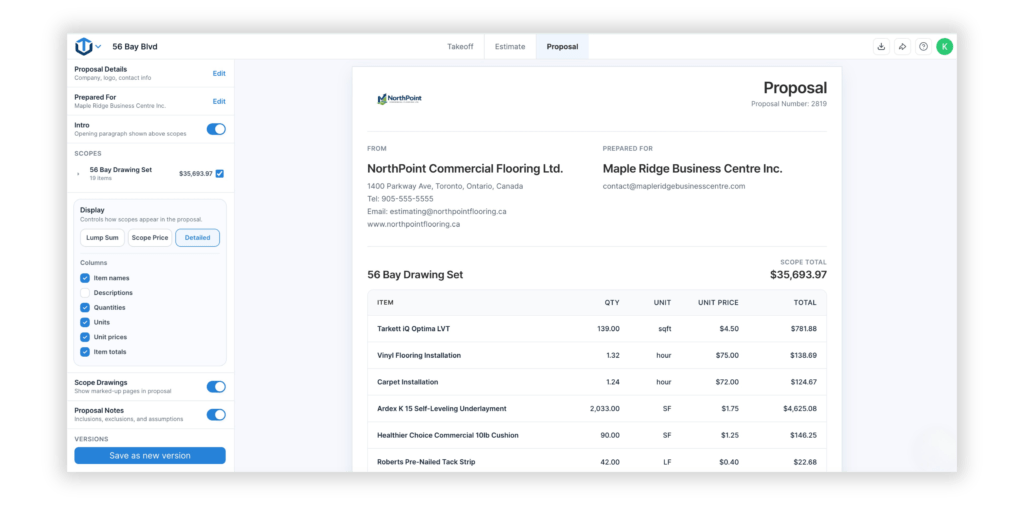
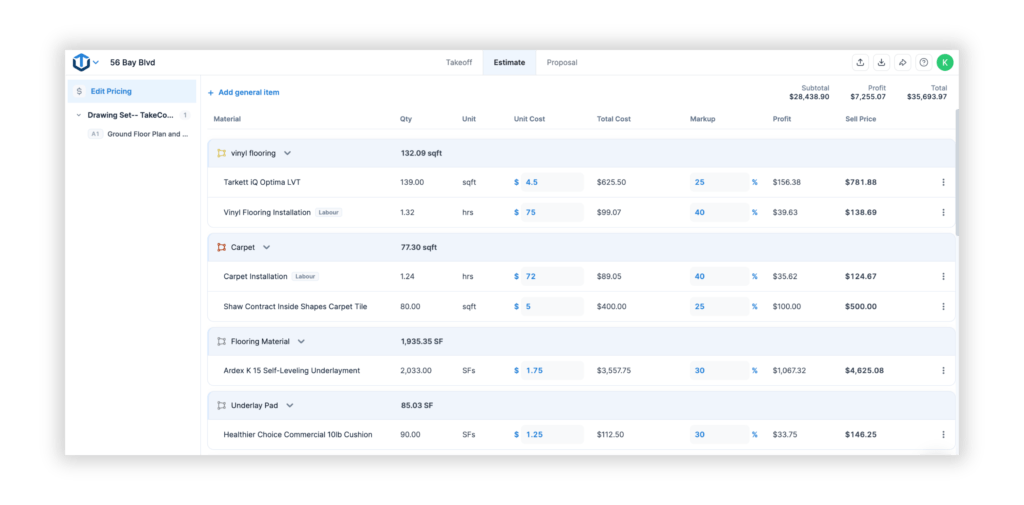
TakeCost connects takeoff directly to estimating, allowing quantities to flow into a structured pricing workflow. You can apply costs, markups, and adjustments immediately, and generate proposal-ready outputs without leaving the platform.
PlanSwift
PlanSwift focuses on the takeoff stage. While it allows you to generate quantities efficiently, estimating is typically completed in external tools such as Excel or separate estimating software.
Why it matters: The time saved during takeoff can be quickly lost if the estimate needs to be rebuilt manually afterwards.
2. Workflow Efficiency
TakeCost
TakeCost is designed around how contractors actually manage projects. Drawings, takeoffs, estimates, and proposals are all connected within a single workflow, making it easier to stay organized and move through each stage without duplication.
PlanSwift
PlanSwift provides strong takeoff functionality, but the broader workflow often extends beyond the platform. Managing projects, estimates, and final outputs usually requires additional tools or manual organization.
TakeCost advantage: A connected workflow reduces rework and keeps everything aligned from start to finish.
3. Speed from Plans to Price
Speed in estimating is not just about how quickly you can measure, it’s about how quickly you can convert those measurements into a priced bid.
TakeCost
Since quantities are already structured within the platform, you can move directly into pricing and proposal creation, significantly reducing turnaround time.
PlanSwift
While takeoffs can be completed efficiently, additional steps are required to transition into estimating, including exporting data and rebuilding the estimate elsewhere.
Reality: Finishing the takeoff is only part of the process, the real time is often spent getting to a completed bid.
4. Cloud vs Desktop Workflow
One of the most significant differences between TakeCost and PlanSwift is how and where work is completed.
TakeCost
TakeCost is fully cloud-based, meaning your projects are accessible from anywhere. There is no installation required, and your workflow is not tied to a specific device.
PlanSwift
PlanSwift is a desktop-based application installed locally. Access is typically limited to the machine it is installed on, unless additional setup or licensing is configured.
TakeCost advantage: Cloud-based access provides flexibility, especially for teams working across multiple locations or on-site.
Mac Compatibility
TakeCost
TakeCost is fully cloud-based and works on both Mac and Windows. Since it runs in the browser, there’s no installation required and no limitations based on operating system.
PlanSwift
PlanSwift is a Windows-only application and does not natively run on Mac.
5. Estimating & Proposal Validation
Generating quantities is only part of delivering a successful bid. Accuracy and clarity in the final estimate are just as important.
TakeCost
TakeCost includes built-in estimating tools along with features like structured pricing and AI Proposal Validation, helping contractors review their estimates before sending them out.
PlanSwift
PlanSwift does not include estimating or proposal validation as part of its core workflow. These steps are typically handled using separate tools or manual review processes.
Why it matters: Mistakes can happen during measuring, but the biggest risks often appear when building and reviewing the final bid.
6. Built for Real Use (Desktop + Mobile)
TakeCost
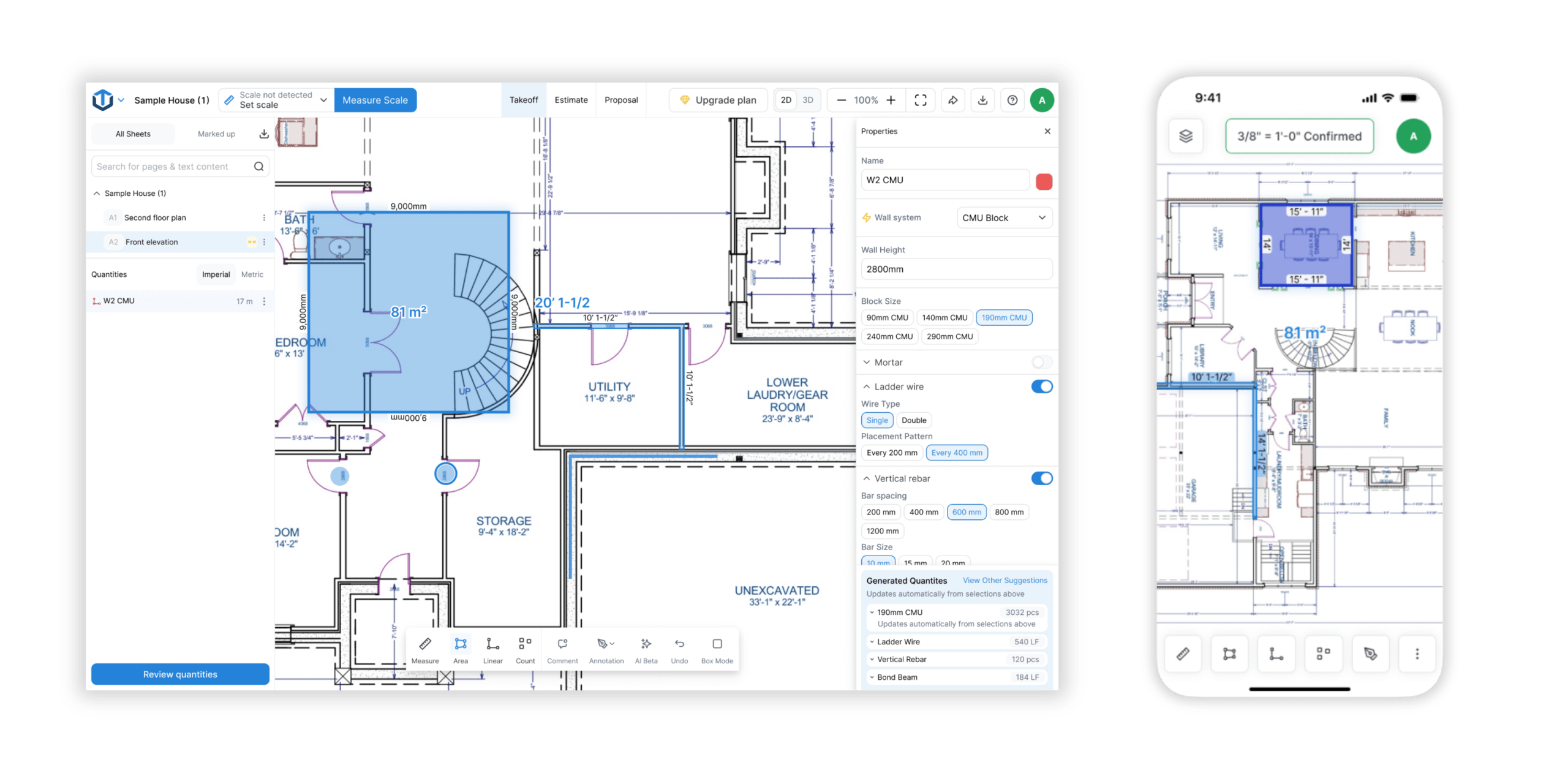
TakeCost works across desktop, tablet, and mobile, allowing contractors to review takeoffs, adjust estimates, and manage projects whether they are in the office, on-site, or in transit.
PlanSwift
PlanSwift is designed for desktop use and does not provide a true mobile workflow for completing or managing takeoffs on the go.
TakeCost advantage: A consistent experience across devices allows work to continue without interruption.
7. Collaboration & Sharing
TakeCost
TakeCost allows teams to share takeoffs and collaborate within the same workflow. Quantities and estimates are automatically included, reducing the need for separate files or manual communication.
PlanSwift
Sharing often involves exporting files or sending data externally. Real-time collaboration within the platform is limited.
Why it matters: Estimating is rarely done by one person, collaboration tools can significantly impact efficiency.
8. Product Approach
TakeCost
TakeCost is built around a modern approach to estimating, where takeoff, pricing, and proposals are connected in one platform.
PlanSwift
PlanSwift is a long-established tool focused primarily on digital takeoffs, with estimating handled outside the platform.
Reality: As workflows become more complex, relying on multiple disconnected tools can slow down the process.
9. Pricing & Value
Pricing should be evaluated in the context of the entire workflow, not just the cost of the software itself.
TakeCost
TakeCost offers flexible pricing with a free plan and scalable options. Because estimating and proposals are included, there is no need for additional software.
PlanSwift
PlanSwift typically involves a higher upfront license cost, and may require additional tools for estimating and proposal creation.
Why it matters: The real cost is not just software, it’s the time spent moving between steps.
10. Output: Workflow vs Export
A key difference between the two platforms is what happens after the takeoff is complete.
TakeCost
Outputs remain within the platform and flow directly into estimating and proposal creation.
PlanSwift
Outputs are typically exported and used in external tools to complete the estimate.
What this means: PlanSwift relies on additional steps outside the platform to complete the workflow.
Final Verdict
If your goal is simply to measure quantities, both TakeCost and PlanSwift can support that.
However, most contractors are not limited by how quickly they can measure — they are limited by how efficiently they can move from takeoff to a completed bid.
TakeCost is designed to eliminate the gaps between those steps, connecting takeoff, estimating, and proposal creation into one continuous workflow.
It’s not just about completing takeoffs — it’s about getting to a priced bid sooner so you can win more work.