
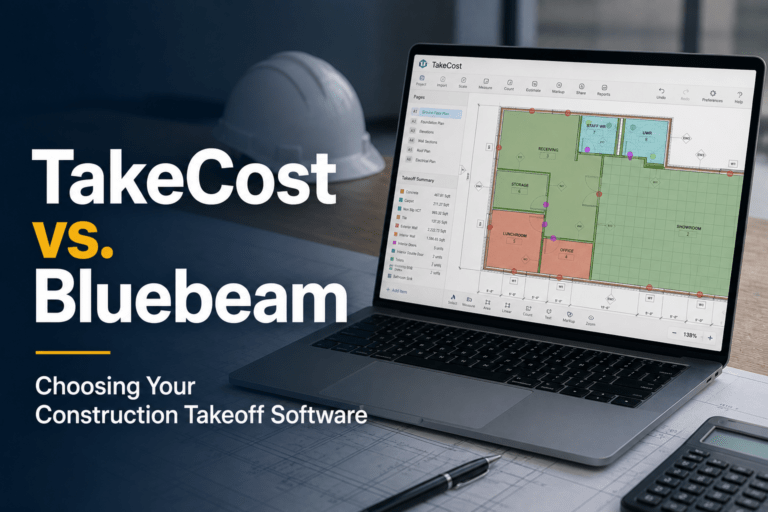

TakeCost vs Bluebeam
Bluebeam is one of the most widely used tools in construction for reviewing drawings and marking up PDFs. But when it comes to performing accurate takeoffs and turning those quantities into estimates, many contractors start to feel its limitations.
Choosing the right takeoff software isn’t just about marking up drawings, it’s about how efficiently you can move from plans to quantities and from quantities to a priced bid.
In this comparison, we break down TakeCost vs Bluebeam to help you understand the difference between a markup tool and a platform designed specifically for construction takeoffs and estimating.
The Core Difference
At a glance, both TakeCost and Bluebeam allow contractors to work with construction drawings and perform measurements.
However, each platform solves a different problem.
- TakeCost is purpose-built for construction takeoffs, estimating, and proposals
- Bluebeam focuses on PDF markup, document review, and collaboration while including measurement tools.
Bluebeam can absolutely handle takeoffs, and many contractors use it that way. The difference is that Bluebeam does not connect those measurements into a complete takeoff-to-estimate workflow.
If your process stops at measuring, Bluebeam can work. If your goal is to move efficiently from takeoff to a priced bid, that’s where the gap becomes clear.
What Most Contractors Overlook
Many contractors start using Bluebeam for takeoffs because it’s already part of their workflow.
You open a PDF.
You mark it up.
You measure areas and lengths.
It works, at first.
But over time, the gaps start to show. Contractors must organize measurements manually, track quantities separately, and spend extra time turning that work into an estimate.
This often leads to:
- manual tracking of quantities
- exporting or rewriting data
- rebuilding estimates in spreadsheets
The result is a workflow that feels fragmented, even if the measuring itself is straightforward.
1. From Takeoff to Estimate
TakeCost
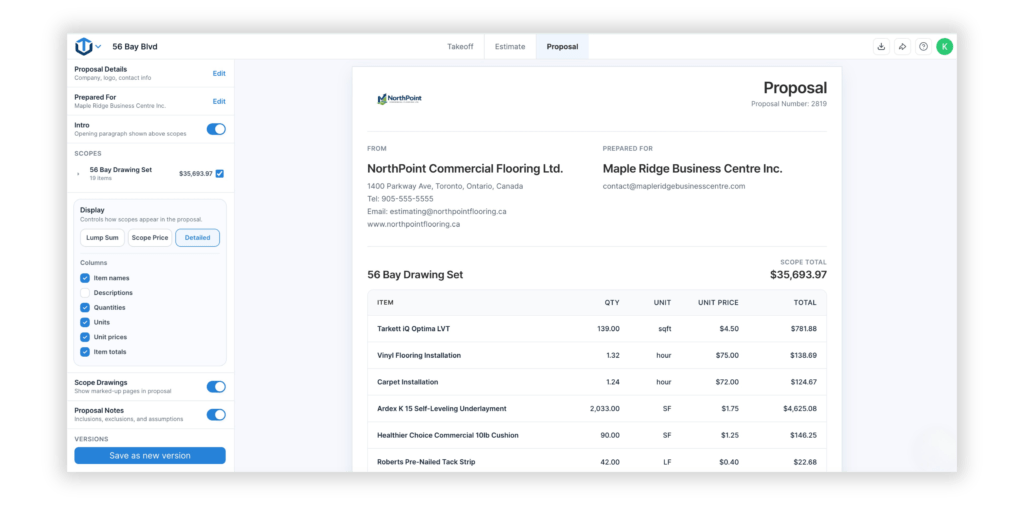
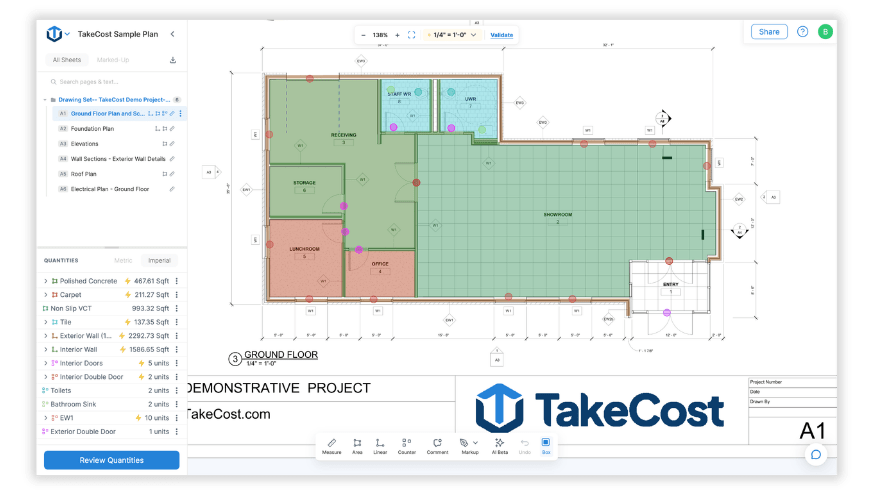
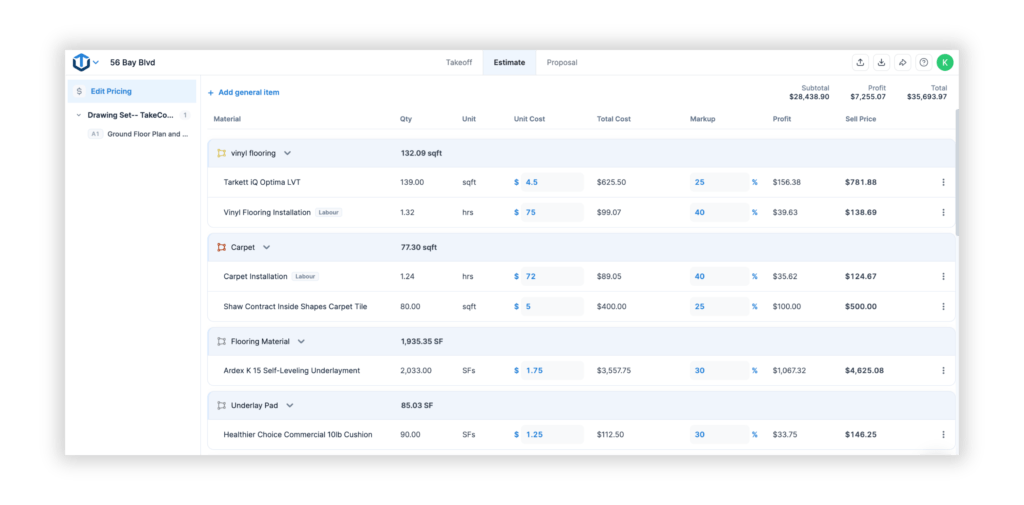
TakeCost keeps your workflow moving from takeoff to estimate. Quantities flow directly into a structured estimating workflow, where you can apply pricing, markups, and generate proposal-ready outputs without leaving the platform.
Bluebeam
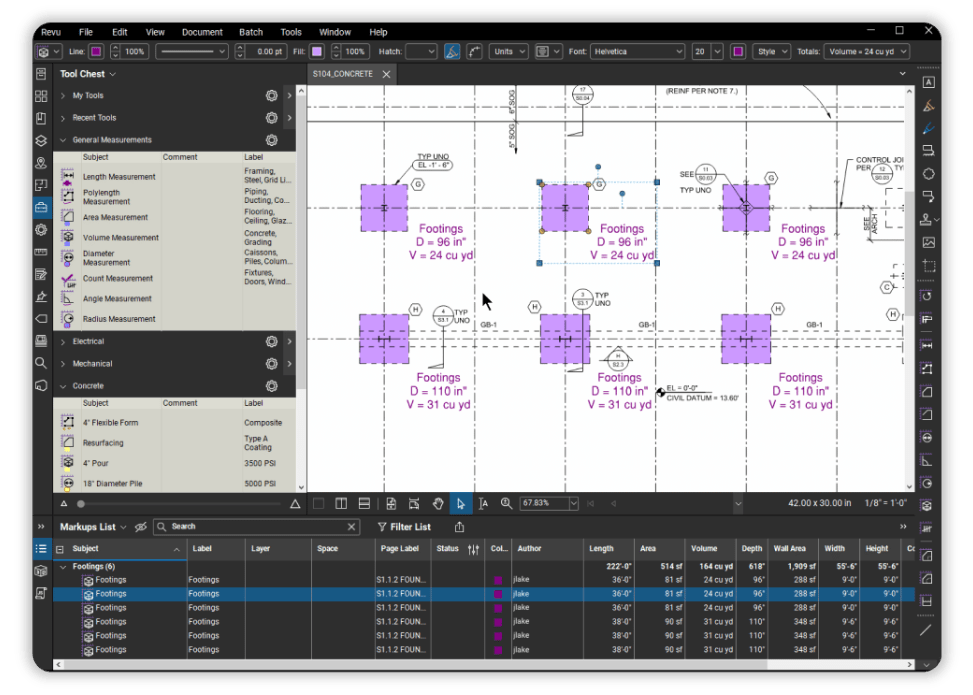
Bluebeam includes measurement tools that allow contractors to perform takeoffs directly on drawings. However, contractors often need to export quantities into spreadsheets and rebuild them for pricing.
Why it matters: The difference isn’t whether you can measure, it’s how easily those measurements turn into a usable estimate.
2. Workflow Efficiency
TakeCost
TakeCost connects drawings, takeoffs, estimates, and proposals into one streamlined workflow. Everything stays organized and structured, reducing the need for manual tracking or duplication.
Bluebeam
Bluebeam is highly flexible for markup and review, but workflows beyond measurement are not built in. Managing estimates and proposals requires additional tools and manual processes.
TakeCost advantage: A connected workflow eliminates the need to rebuild your work at every stage.
3. Speed from Plans to Price
Speed isn’t just about how fast you can measure, it’s about how quickly you can move from drawings to a completed estimate.
TakeCost
TakeCost organizes quantities instantly so you can move directly into pricing and proposal creation.
Bluebeam
Bluebeam measures quickly, but estimators still need to organize, export, and rebuild quantities before pricing a project.
Reality: Contractors often save time on takeoffs but lose it rebuilding quantities into estimates.
4. Built for Takeoffs vs Built for Markups
This is one of the biggest differences between the two platforms.
TakeCost
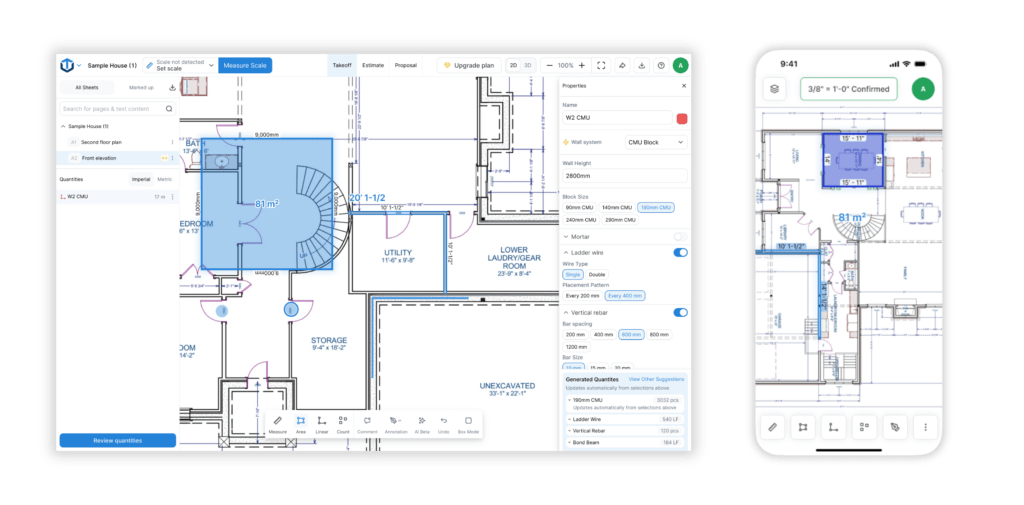
TakeCost is built specifically for construction takeoffs, with tools for area, linear, count, and elevation measurements structured for estimating workflows.
Bluebeam
Bluebeam is designed for PDF markup, document review, and collaboration. While it includes measurement tools, they are not part of a structured takeoff or estimating system.
TakeCost advantage: You’re using a tool built for takeoffs, not adapting a markup tool to do the job.
5. Estimating & Proposal Workflow
TakeCost
TakeCost includes built-in estimating tools, allowing you to price your work, apply markups, and generate proposals within the same platform. Features like AI Proposal Validation help catch potential issues before sending your bid.
Bluebeam
Bluebeam does not include estimating or proposal generation. Contractors typically rely on external tools or spreadsheets to complete this part of the workflow.
Why it matters: Accuracy and efficiency depend on how smoothly your workflow moves beyond measuring.
6. Desktop, Cloud & Mac Compatibility
TakeCost
TakeCost is fully cloud-based and works across Mac, Windows, tablet, and mobile. There is no installation required, and your workflow stays consistent across devices.
Bluebeam
Bluebeam’s full feature set is primarily available on Windows. While Bluebeam Cloud is available, it is focused on document access, markup, and collaboration, and does not provide the same level of measurement or takeoff capability as the desktop version.
TakeCost advantage: You get a consistent takeoff and estimating workflow across devices, without relying on different versions of the software.
7. Collaboration & Sharing
TakeCost
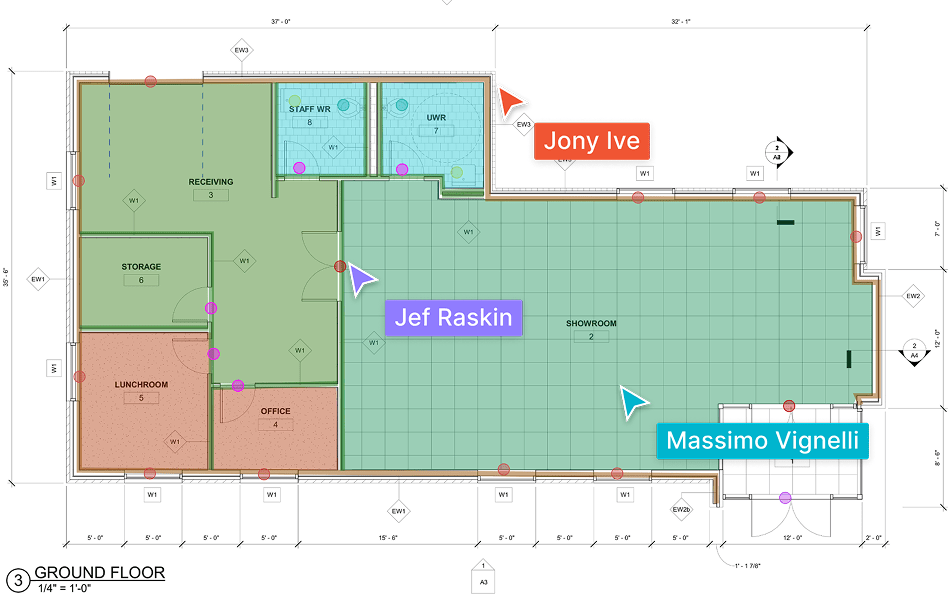
TakeCost allows teams to collaborate directly within the platform, sharing takeoffs and estimates with quantities included automatically.
Bluebeam
Bluebeam supports collaboration around drawings and markups, but it does not connect those workflows directly to estimating.
Why it matters: Sharing drawings is helpful, but real efficiency comes from sharing the takeoff, quantities, and estimate together.
8. Product Approach
TakeCost
Built as an end-to-end solution for contractors, connecting takeoff, estimating, and proposals into a single workflow.
Bluebeam
Built as a document management and markup tool, widely used across construction but not specifically designed for takeoffs and estimating.
Reality: Using a general tool for a specialized task often leads to inefficiencies.
9. Pricing & Value
TakeCost
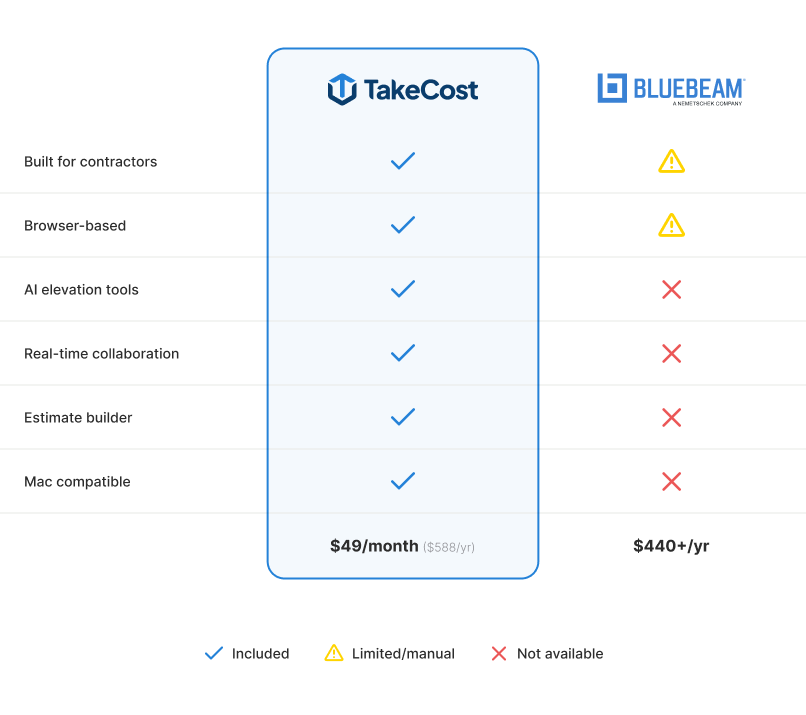
TakeCost offers a free plan along with scalable paid options, giving contractors access to takeoff, estimating, and proposal tools in one platform.
Bluebeam
Bluebeam pricing is subscription-based, with plans that scale based on features and usage. While it provides value for document management and collaboration, it is not a complete takeoff and estimating solution on its own.
Why it matters:
The real cost isn’t just software, it’s the time spent switching between tools.
10. Output: Workflow vs Manual Tracking
TakeCost
Outputs are structured within the platform and flow directly into estimating and proposals.
Bluebeam
Measurements and markups must be manually organized and transferred into estimating tools.
What this means:
Bluebeam relies heavily on manual processes beyond measurement.
Final Verdict
Bluebeam is a powerful and widely adopted tool for document review, markup, and collaboration in construction. It also provides flexible measurement tools that many contractors use for takeoffs.
However, Bluebeam does not connect measurements directly to estimating workflows.
TakeCost helps contractors move from drawings to quantities to priced bids inside one connected platform.
It’s not about whether you can measure, it’s about how efficiently you can turn those measurements into a finished estimate.