
Built by Contractors, for Contractors
TakeCost was created to simplify takeoffs, pricing, and estimating for real construction teams.
Our Mission & Vision
Our goal is simple: help contractors move faster from plans to accurate bids.
Mission
Give contractors practical tools to measure plans, price work, and submit bids with confidence.
Vision
A future where construction estimating is faster, clearer, and accessible to every contractor.

Estimating Got Too
Disconnected.
Teams were measuring in one place, rebuilding scope in spreadsheets, and copying it again into proposals. We built TakeCost to keep it connected.
Takeoff
Measure directly from drawings with fast, practical tools built for real estimating workflows.
Estimate
Keep quantities tied to pricing and scope structure so changes don’t force you to rebuild.
Proposal
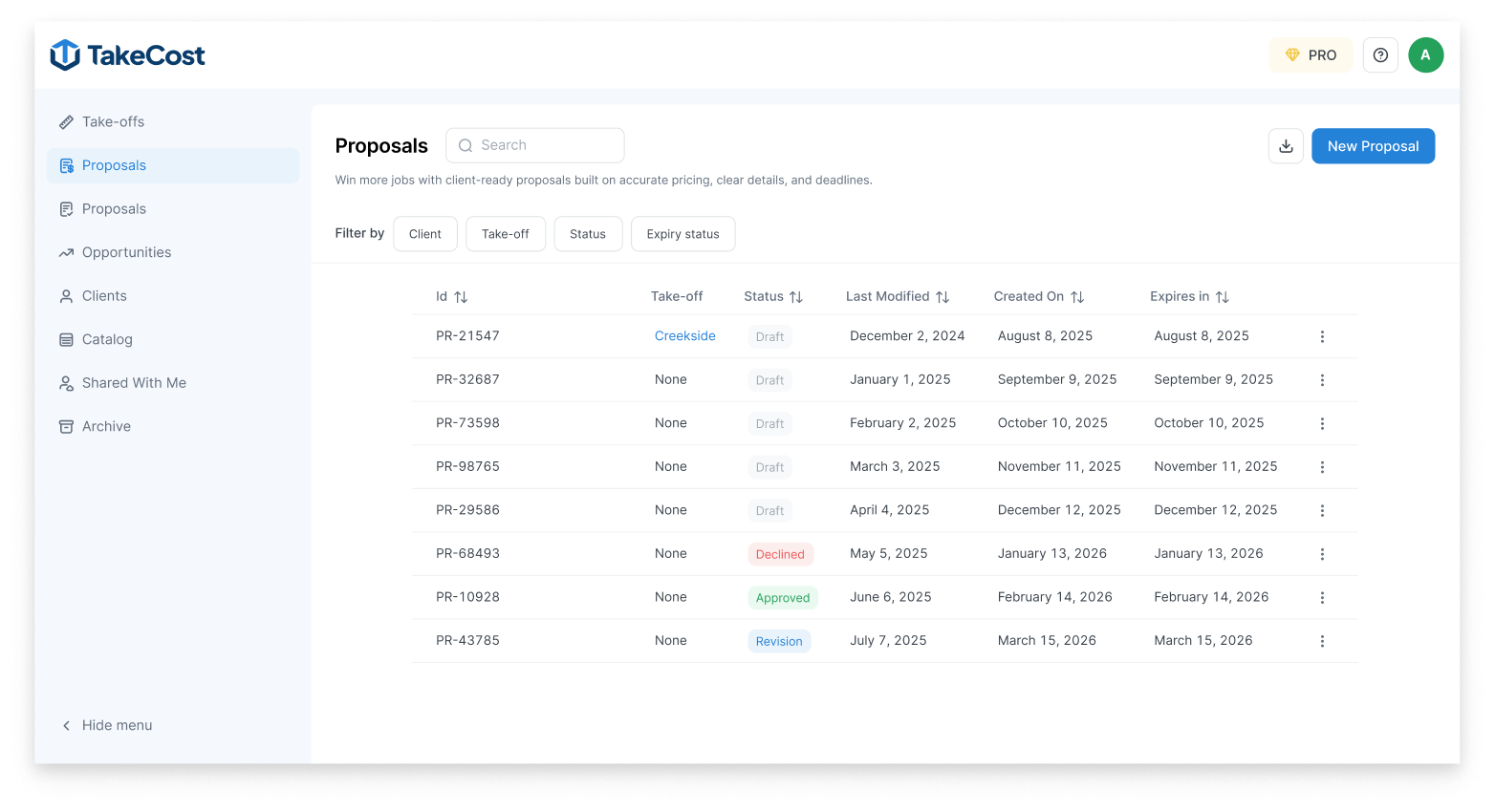
Generate clean, client-ready outputs without copying quantities or recreating scope again.
What's next for TakeCost
We're continuing to build practical tools that help contractors move faster from plans to accurate bids.

Localized Cost Data
Region-based pricing insights to support more accurate cost expectations while building estimates.

App Integrations
Connect TakeCost with the tools your team already uses across estimating, operations, and project workflows.

AI Floor Plan
Takeoffs Faster automated detection and measurement from floor plans to help reduce repetitive manual work.

Advanced Estimating
Build detailed estimates using flexible pricing structures, markups, and cost adjustments across scope.
Trusted by contractors. Built by contractors.
Real proof from the field — recognition, press, and feedback from teams
using TakeCost to move faster and quote with confidence.

Accelerated
Estimate faster. Control pricing. Win more work.

Frequently asked questions
We have put together some commonly asked questions
What is TakeCost?
TakeCost is a digital takeoff and estimating tool built by contractors for contractors. Upload plans, measure materials, build estimates, and create proposals all in one place.
Is TakeCost free for life?
Yes! TakeCost will always offer a free plan. You can start 1 new project per month and keep access to all your past projects. We’re committed to helping new and small construction professionals grow without the pressure of a paid subscription.
Do I need to install anything to use TakeCost?
No downloads needed. TakeCost is 100% cloud-based—just log in from any browser and start measuring.
Can I share my projects with others?
Yes. You can invite team members to view or collaborate on projects, depending on your plan.
Can I book a demo?
Yes! You can book a 30-minute demo with our team using this link: https://calendly.com/takecost/demo
How secure is my data on TakeCost?
Your data is safe with us. We run free daily backups of all user data and follow strict internal security and privacy protocols. From encrypted storage to limited access controls, TakeCost is built to keep your project files and measurements protected at all times.
What file types does TakeCost support?
TakeCost supports multi-page and single-page PDF plans, plus common image files like JPG and PNG. If you’re uploading an image, just provide one known measurement to set the scale and you’re good to go. Perfect for scanned drawings, sketches, or marked-up site photos.
Can I switch between Imperial and Metric units?
Yes. TakeCost supports both Imperial and Metric units. You can switch anytime—your measurements and scale will automatically adjust to match.
What happens if I hit my free project limit?
Once you reach 2 new projects in a month, you can either upgrade to a paid plan or wait until the next month resets. All your past projects remain accessible.
How do I contact customer support?
You can reach our customer support team through the following channels:
- Submit a Support Ticket – Visit our Help Center and click “Submit a Ticket”. Provide details about your issue, and our team will respond promptly.
- Use Our Live Chat – Look for the chat icon on our website for real-time assistance from a support agent.
- Email Us – Send your inquiries to takecost@congic.com, and we’ll get back to you shortly.
- Call Us – Reach our support team directly at 1-866-377-1787 for immediate assistance.
We’re here to help with any questions or issues you may have!