

TakeCost vs EasyTakeoffs
Choosing the right takeoff software isn’t just about measuring quantities, it’s about how quickly you can move from drawings to pricing, and ultimately, to winning jobs.
For most contractors, the bottleneck isn’t the takeoff itself. It’s everything that comes after: organizing quantities, building estimates, and turning that work into a clean proposal.
In this comparison, we break down TakeCost vs EasyTakeoffs so you can see which platform actually supports your workflow from start to finish, not just one step of it.
The Core Difference
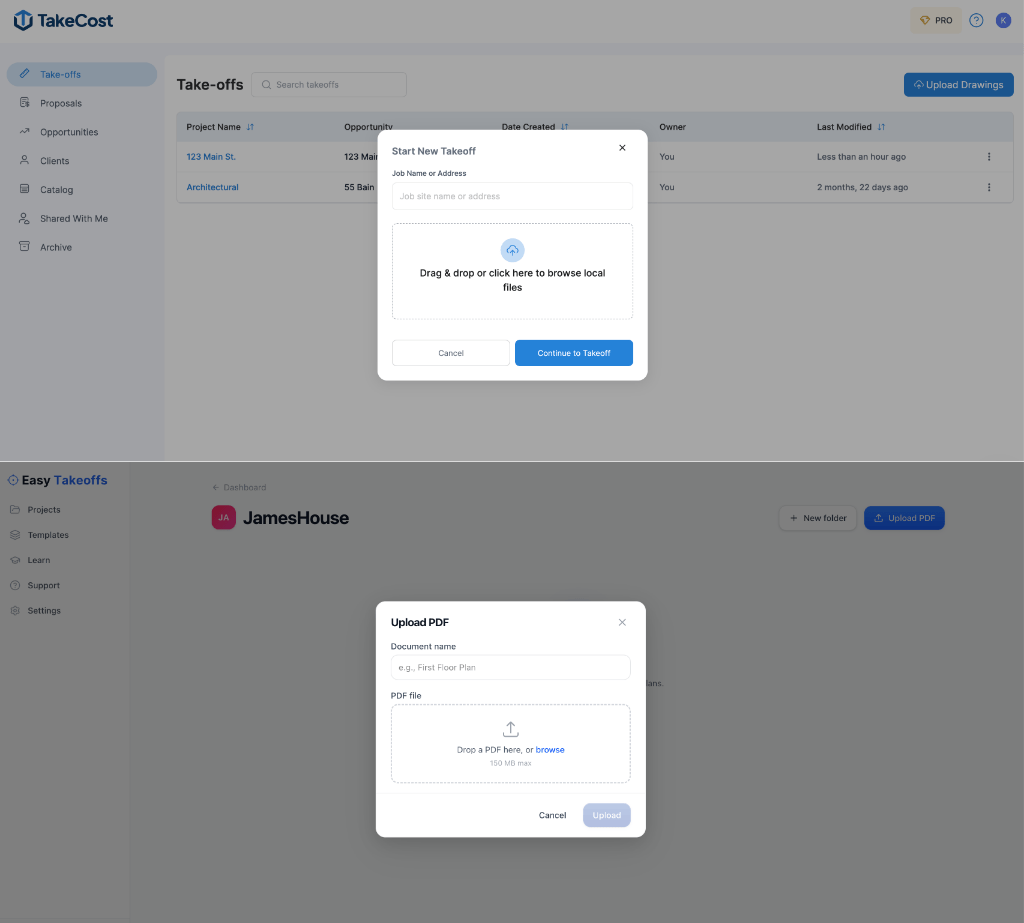
At a glance, both platforms allow you to upload drawings and perform takeoffs.
But the real difference is this:
- TakeCost → Built as a complete workflow (takeoff → pricing → proposal)
- EasyTakeoffs → Focused on basic takeoff functionality
If you’re only measuring, both can work.
If you’re trying to move faster from takeoff to quote without rebuilding everything manually, the gap becomes clear very quickly.
What Most Contractors Overlook
At first glance, most takeoff tools look very similar. You upload drawings, measure areas, lengths, and counts, and technically, the job is done.
But that’s only one part of the process.
What happens next is where the real time is spent. Where do those quantities go? How are they priced? And how long does it take to turn that work into a clean, professional quote?
This is where most workflows start to break down.
Instead of moving seamlessly from takeoff to estimate, many contractors end up exporting quantities, rebuilding estimates in spreadsheets, and reformatting everything again for proposals.
That extra work might seem small on one job, but it adds up quickly across every project.
1. From Takeoff to Estimate
TakeCost
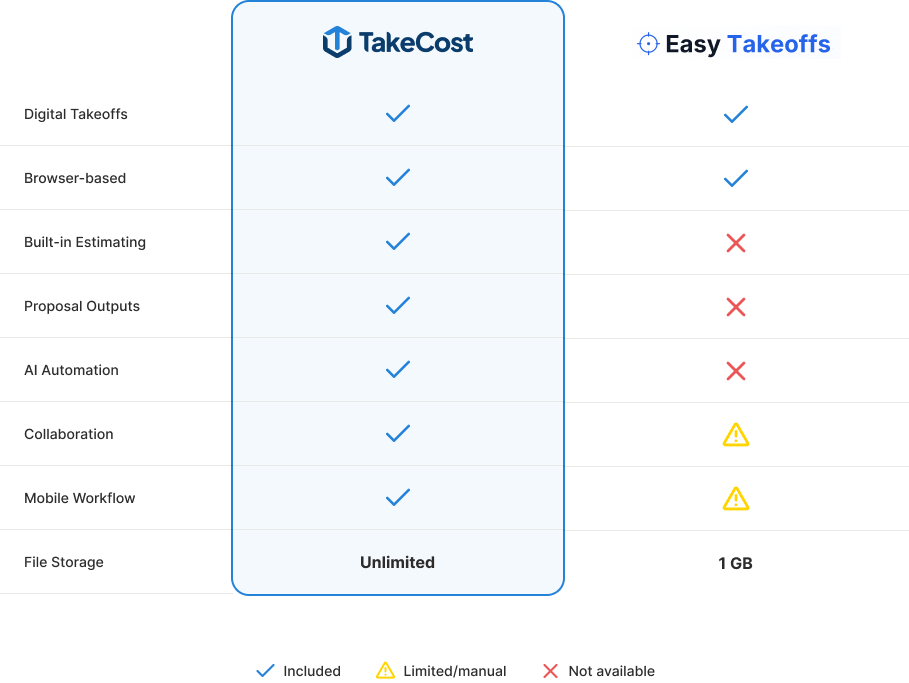
Quantities flow directly into a built-in estimating workflow, so pricing can begin immediately. Instead of exporting data or switching tools, you can structure your estimate and generate proposal-ready outputs in the same place.
EasyTakeoffs
The platform is primarily focused on measurement. Estimating workflows are limited or unclear, which often means exporting quantities and completing pricing in external spreadsheets.
Why it matters: The biggest delays in estimating don’t come from measuring, they come from rebuilding the estimate afterward.
2. Workflow Efficiency
TakeCost
Projects, drawings, and bids are organized within a single workflow, making it easy to manage everything in one place. Whether you start from Take-offs or Opportunities, the platform is designed to be intuitive, so you can get up and running quickly without a steep learning curve.
EasyTakeoffs
The interface is simple, but the workflow is less structured. Managing projects beyond the takeoff stage typically requires additional tools or manual organization.
TakeCost advantage: A connected, easy-to-use workflow reduces duplicate work and keeps everything organized from start to finish.
3. Speed from Plans to Price
Speed isn’t just about how fast you can measure, it’s about how quickly you can turn that work into a priced estimate.
TakeCost
Measurements flow directly into structured quantities, which are immediately ready for pricing and proposal generation.
EasyTakeoffs
Measurements are completed in-platform, but additional steps are required to move into estimating, often involving exports or manual data transfer.
Reality: Small inefficiencies at this stage compound across every project.
4. AI That Actually Speeds Up Takeoffs
Many platforms mention AI, but what matters is whether it actually removes work from your process.
TakeCost
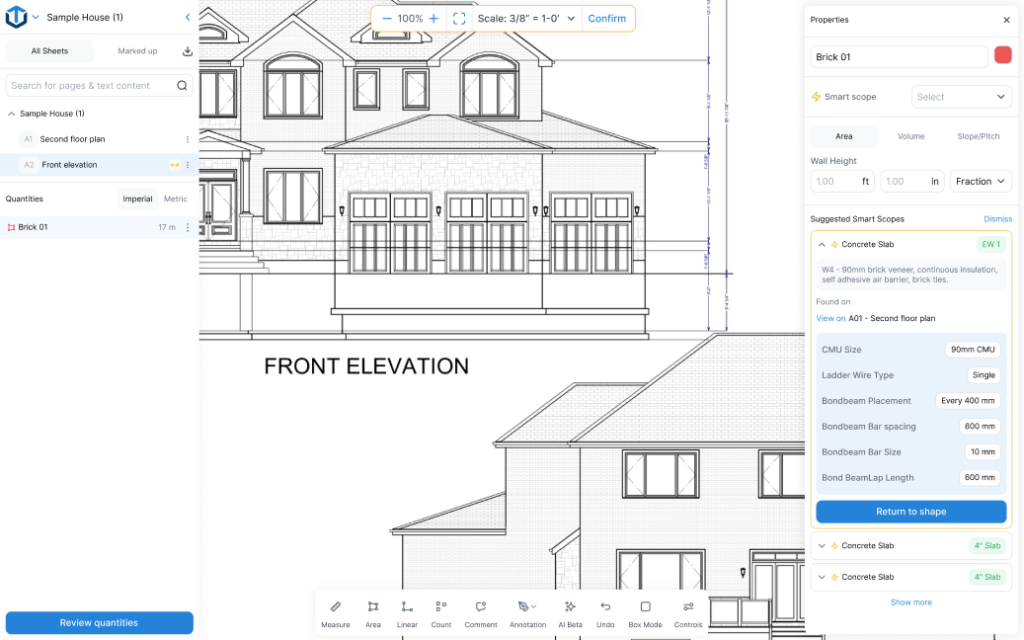
TakeCost includes practical AI tools designed to reduce manual effort during takeoffs:
- Auto Sheet Naming – organizes drawings automatically
- AutoScale Sheets – detects and sets scale without manual input
- 1-Click Elevation Takeoffs – quickly measure walls and elevations
- Symbol & Item Counting – automatically count fixtures, doors, windows, and more
What this means in practice: Less clicking, less setup, and faster movement from drawings to quantities.
EasyTakeoffs
AI capabilities are limited or not clearly defined, with most workflows relying on manual input.
Why it matters: AI should actively save time, not just exist as a feature.
5. Estimating & Proposal Validation
Most takeoff tools stop at quantities. But getting to a complete, accurate bid is where the real work happens.
TakeCost
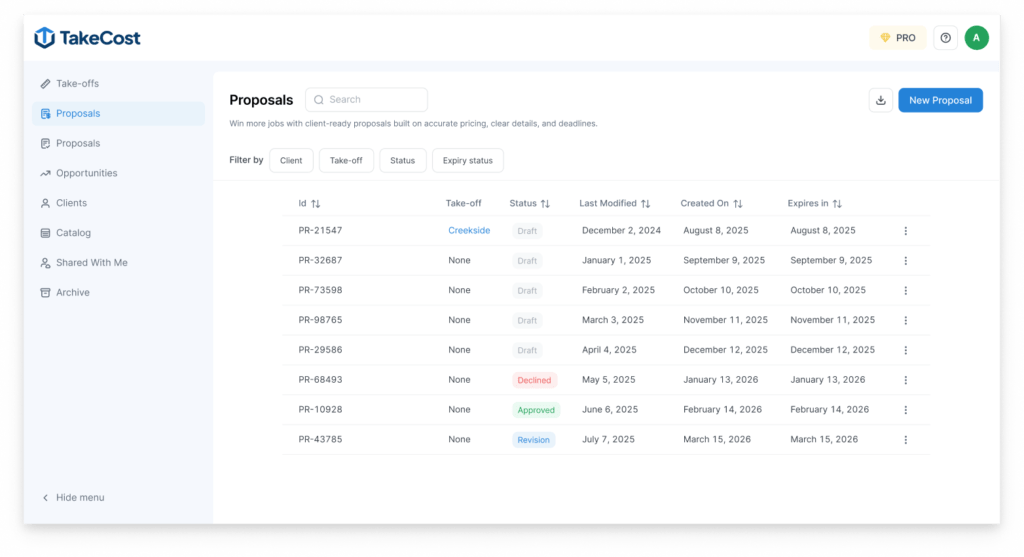
TakeCost doesn’t just help you measure, it helps you build, review, and validate your estimate before it goes out the door.
- Built-in estimating worksheet to price quantities immediately
- Structured line items, markups, and totals in one place
- AI Proposal Validation to catch potential issues before submission
With AI validation, you can review your proposal in different ways:
- Default – balanced review across your entire estimate
- Itemized – line-by-line analysis of quantities and pricing
- Lump Sum – checks scope coverage and risk signals
- Cost Plus – reviews markups and cost transparency
- Grouped – validates assemblies and completeness
What this means in practice: Instead of second-guessing your numbers or manually double-checking everything, you get a smarter review process built directly into your workflow.
EasyTakeoffs
Contractors need to rely on external tools or manual review processes to complete and verify their bids.
Why it matters: Mistakes can happen during measuring, but the biggest risks often show up when building and reviewing the final bid.
6. Built for Real Use (Desktop + Mobile)
TakeCost
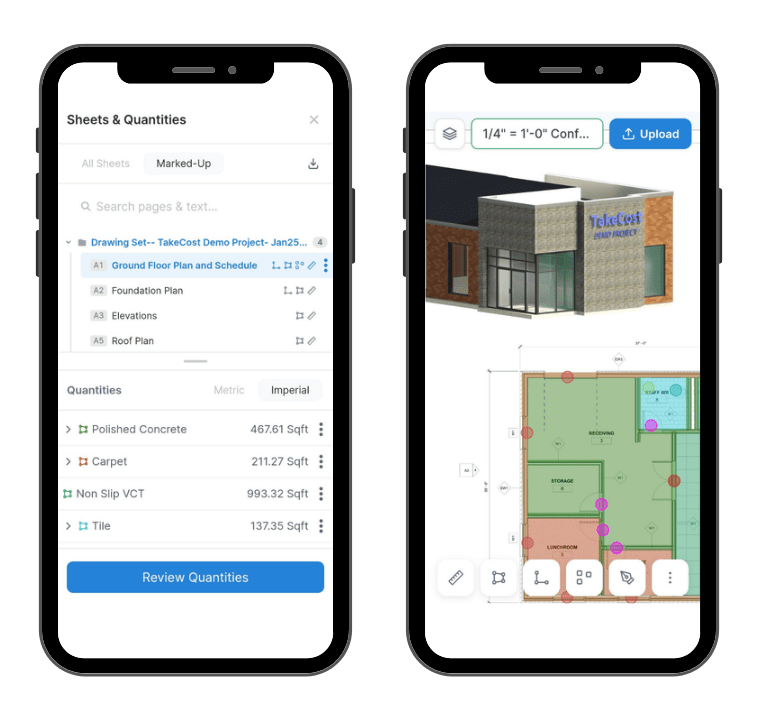
Fully cloud-based and designed for flexibility, TakeCost works across desktop, tablet, and mobile with full app functionality. Whether you’re on-site, in your truck, or at your desk, you can complete takeoffs, review quantities, and manage projects without limitations.
EasyTakeoffs
While cloud-based, the mobile experience is less defined and lacks the same level of functionality. Workflows are not as seamless or easy on mobile, making it harder to rely on outside of a desktop environment.
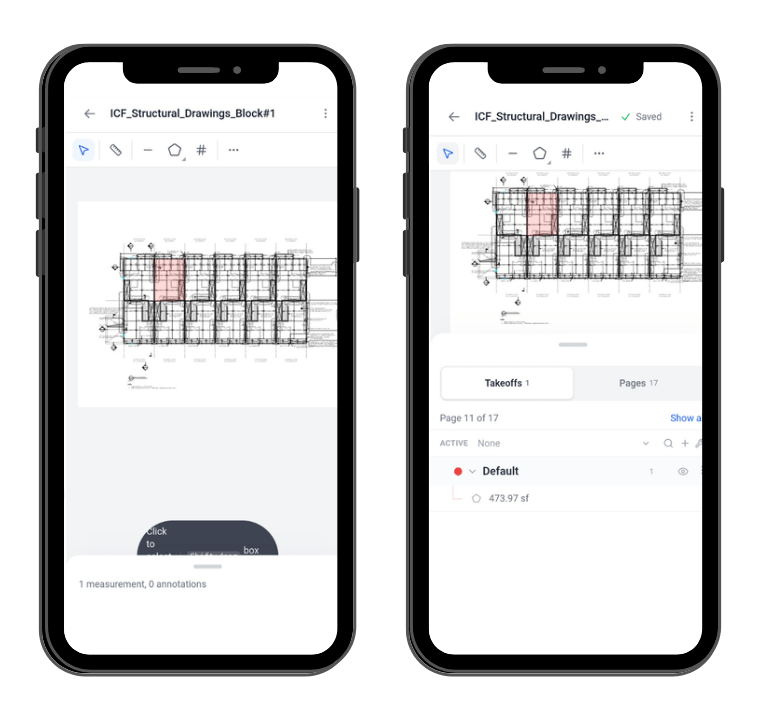
TakeCost advantage: You get full functionality on any device, not a limited mobile version.
7. Collaboration & Sharing
TakeCost
Takeoffs can be shared easily with team members, with quantities included automatically. The platform is built for real collaboration, allowing teams to work together within the same workflow.
EasyTakeoffs
Takeoffs can be shared, but access is limited to viewing and export only. Team members cannot actively collaborate or make changes within the same workflow.
Why it matters: Estimating is rarely done in isolation, your tools should support real collaboration, not just visibility.
8. Product Maturity
TakeCost
A continuously evolving platform shaped by real contractor workflows, with ongoing improvements focused on speed, structure, and usability.
EasyTakeoffs
A newer platform with a developing feature set.
Reality: The difference becomes clear once you move beyond basic takeoffs into estimating and quoting.
Who Should Choose Each?
Choose TakeCost if you:
- Want an easy to use platform with complete workflow from takeoff to proposal
- Are tired of rebuilding estimates in spreadsheets
- Need speed and structure across multiple projects
- Want everything connected in one platform
EasyTakeoffs might work if you:
- Are not looking to scale your company
- Don’t mind handling estimating separately
As your workload grows, having a connected workflow becomes less of a convenience and more of a necessity.
Final Verdict
If your goal is simply to measure quantities, both tools can get the job done. But most contractors aren’t losing time on measuring, they’re losing time on everything that comes after.
Rebuilding estimates. Reformatting data. Switching between tools. That’s where the real inefficiency is.
TakeCost is built to eliminate those gaps, connecting takeoff, estimating, and proposals into one continuous workflow.
It’s not just about completing takeoffs, it’s about moving to a priced bid sooner so you can win more jobs!